ESP 8266 node auto reboot – ESPHome

  • logs
[10:24:37.762][E][api:128]: No clients; rebooting
[10:24:37.806][I][app:264]: Forcing a reboot
[10:24:38.079][W][wifi_esp8266:512]: Disconnected ssid='JioFiber-b44M3' bssid=34:D8:56:21:62:FA reason='Association Leave'\xff\xeaU\xfa[I][logger:032]: Log initialized
[10:24:38.151][E][esp8266:171]: *** CRASH DETECTED ON PREVIOUS BOOT ***
[10:24:38.231][E][esp8266:186]:   Reason: Hardware WDT - Level1Int (exccause=4)
[10:24:38.279][E][esp8266:191]:   PC: 0x40106487
WARNING Decoded 0x40106487: system_get_time
[10:24:38.343][C][safe_mode:189]: Unsuccessful boot attempts: 0
[10:24:38.394][I][app:060]: Running through setup()

This means the ESPHome API decided to reboot because no API client (typically Home Assistant or the ESPHome dashboard) was connected for the configured timeout.

By default, if you’re using the api: component, ESPHome can reboot after a period without an API connection.

  • Remove esphome api or set to 0
api:
  reboot_timeout: 0s
Node 8266 EPS – voltage sensor – pushgateway

#include <ESP8266WiFi.h>
#include <ESP8266HTTPClient.h>

// WiFi credentials
const char* ssid = "SSID";
const char* password = "PASS";

// Prometheus Pushgateway
const char* pushgatewayHost = "https://pushgateway.example.com/metrics/job/voltage_monitor/instance/node-8266/sensor/voltage";


// Voltage divider resistors
const float R1 = 29000.0;
const float R2 = 7500.0;

// ADC config
const float ADC_RESOLUTION = 1023.0;
const float REF_VOLTAGE = 3.3;  // Adjust depending on your board
float previousVoltage = -1.0; 

void setup() {
  Serial.begin(115200);
  delay(1000);

  WiFi.begin(ssid, password);
  Serial.print("Connecting to WiFi");
  while (WiFi.status() != WL_CONNECTED) {
    delay(500);
    Serial.print(".");
  }
  Serial.println("\nConnected!");
}

void loop() {
  float voltage = readVoltage();
  if (abs(voltage - previousVoltage) > 0.01) {  // send only if change > 10 mV
    sendToPrometheus(voltage);
    previousVoltage = voltage;
  } else {
    Serial.println("⚠️ Voltage unchanged. Skipping Pushgateway update.");
  }
  delay(20000);  // Send every 20 seconds
}

float readVoltage() {
  int adcValue = analogRead(A0);
  float vOut = (adcValue / ADC_RESOLUTION) * REF_VOLTAGE;
  float vIn = vOut * ((R1 + R2) / R2);
  Serial.print("Measured Voltage: ");
  Serial.println(vIn, 3);
  return vIn;
}

void sendToPrometheus(float voltage) {
  if (WiFi.status() != WL_CONNECTED) {
    Serial.println("WiFi not connected!");
    return;
  }
  //WiFiClient client; // for http
  //HTTPClient http;
  WiFiClientSecure client;
  client.setInsecure();
  HTTPClient http;

  String metrics = "voltage_sensor " + String(voltage, 3) + "\n";
  String url = String(pushgatewayHost) ;

  // Encode Basic Auth manually
  String base64Credentials = "Base64encoded Creds";
  String authHeader = "Basic " + base64Credentials;
  http.begin(client, url);
  http.addHeader("Content-Type", "text/plain");
  http.addHeader("Authorization", authHeader);

  int httpCode = http.POST(metrics);
  if (httpCode > 0) {
    Serial.printf("Pushgateway Response: %d\n", httpCode);
  } else {
    Serial.printf("Failed to send data: %s\n", http.errorToString(httpCode).c_str());
  }

  http.end();
}

ESP32 wroom 32 – MicroController

  • Fedora ardino IDE issue – https://github.com/arduino/Arduino/issues/11150
  • https://forum.arduino.cc/t/esp32-ide-compiler-importerror-no-module-named-serial/968605/10

sudo pip install pyserial

  • Open Arduino using Sudo
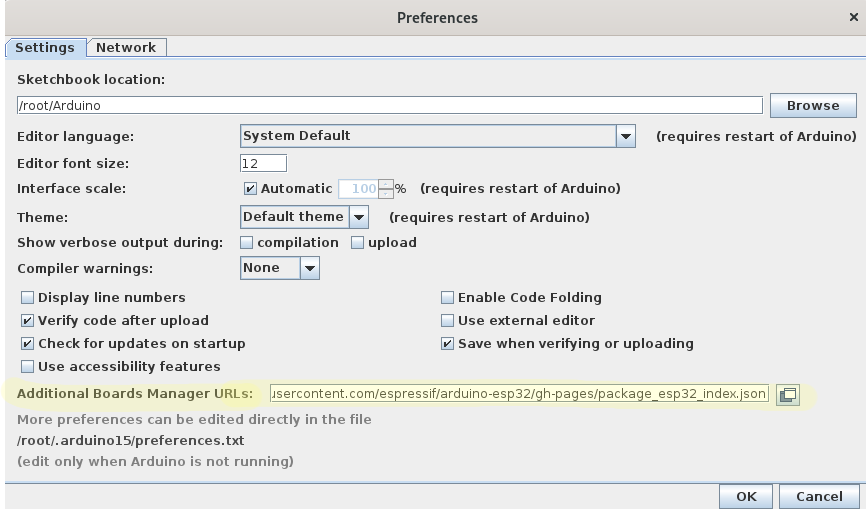
  • Stable repo link for Esp32
https://raw.githubusercontent.com/espressif/arduino-esp32/gh-pages/package_esp32_index.json
  • File > Preference > Additional Board Manager
  • Tools > Board > Board manager > esp32 > Install

  • Tools > Board > ESP32 > ESP32 Dev(or any board that you have)
  • File > Example > WIFI > SimpleWIFIServer
  • update wifi login creds
const char* ssid = "TP-Link_573B";
const char* password = "passowrd";
  • Tools > Serial Monitor

Youtube video : https://www.youtube.com/watch?v=UuxBfKA3U5M

pin out : https://www.studiopieters.nl/esp32-pinout/

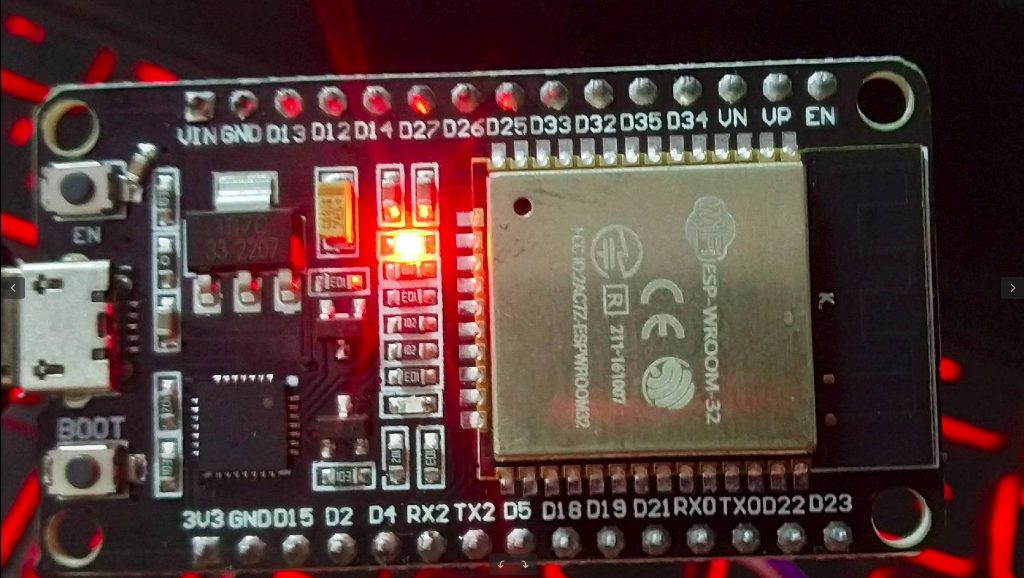
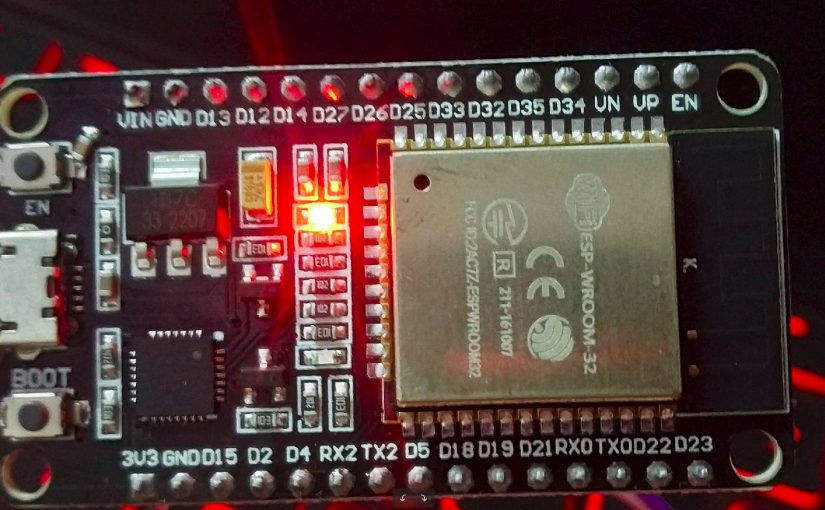
esp32 wroom

Power consumption with 1 LED: 5V x 0.08Amp = 0.4 Watt