Use the kernel PPS path. Do not write a Python or C GPIO polling loop for timing. User-space timing will add scheduling latency; the kernel PPS driver timestamps the edge much earlier and exposes it as /dev/pps0.
Wiring:
ESP32 GPIO27(PPS) ----------------->  Pi 5 GPIO18 / phy pin 12
ESP32 GND         ----------------->  Pi 5 GND    / phy pin 14
Time Source Design
PPS alone is not a complete clock. It tells the Pi exactly where the second boundary is, but not which UTC second it is.
Chrony therefore needs:
PPS on/dev/pps0for the precise second edge.
A normal time source, such as the ESP32 GNSS NTP server, for UTC date and second numbering.
Flow:
M10S GNSS
   |
   | GNSS time + PPS
   v
ESP32
   |
   | GPIO27 PPS
   v
Raspberry Pi 5 GPIO18
   |
   | kernel PPS timestamp
   v
/dev/pps0
   |
   v
chronyd
   |
   +-- PPS: precise second boundary
   +-- ESP32 NTP: UTC second/date
   |
   v
Pi 5 serves LAN NTP as stratum 1
pull-down=keeps the input from floating when PPS is disconnected.
schmitt-trigger can help clean up marginal/noisy edges on a wire.
Do not add assert-falling-edge for the normal GNSS PPS case. The default is rising-edge assert, which is what you usually want from a GNSS 1PPS output.
Use this minimal configuration as the core of the file. Adjust the server IP and allow network for your LAN.
# Coarse UTC source.# This gives chronyd the actual UTC second/date.
server 192.168.10.90 iburst minpoll 3 maxpoll 3 prefer
# Precise PPS source.# ESP32 GPIO27 -> Pi 5 GPIO18 -> kernel PPS -> /dev/pps0.
refclock PPS /dev/pps0 refid PPS poll 0 prefer
# Clock discipline.
makestep 0.1 3
rtcsync
# Allow LAN clients to query this Pi as an NTP server.# Change this to match your network.
allow 192.168.0.0/16
# Optional logging.
log tracking measurements statistics
logdir /var/log/chrony
ESP32 PPS
   |
   v
Pi 5 RP1 GPIO interrupt
   |
   v
Linux PPS kernel timestamp
   |
   v
/dev/pps0
   |
   v
chronyd
A custom C or Python program would run after the kernel schedules it, which adds avoidable latency and jitter. For a stratum-1 NTP server, use the kernel PPS driver plus Chrony.
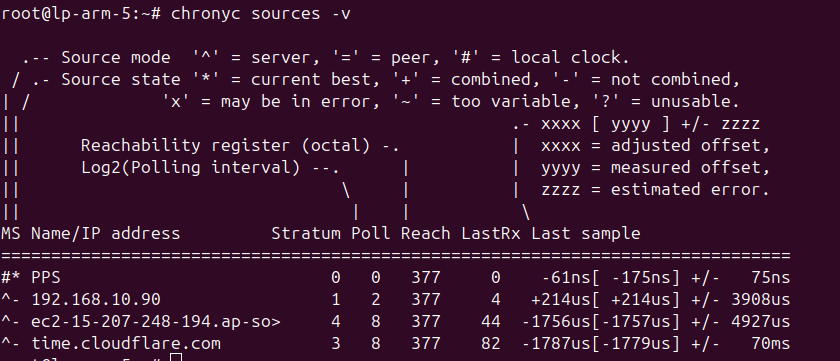
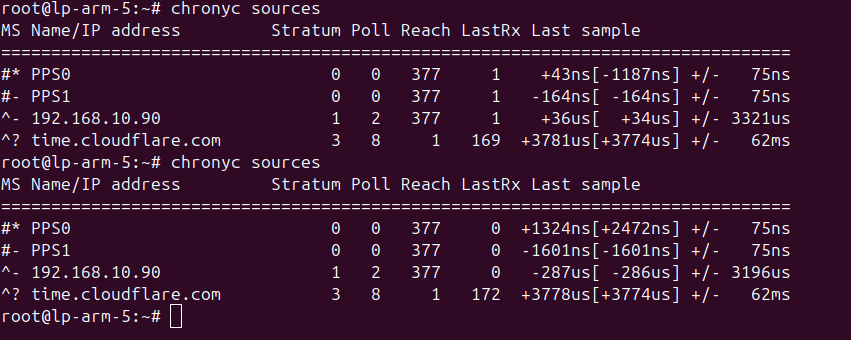
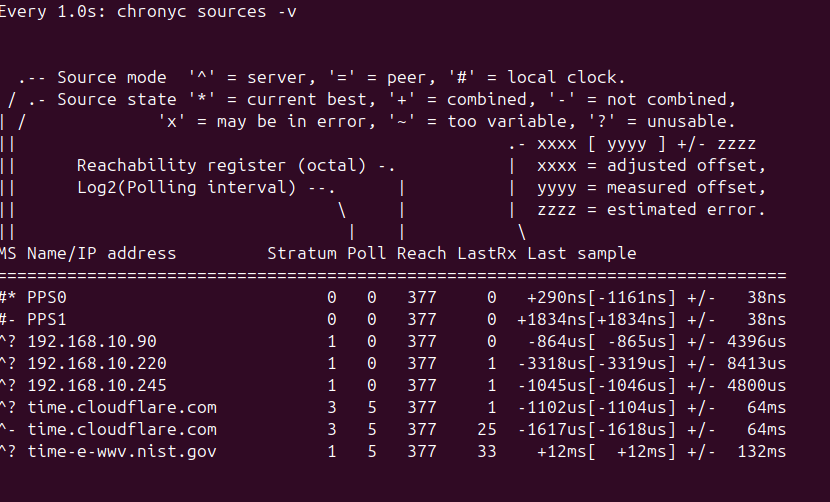
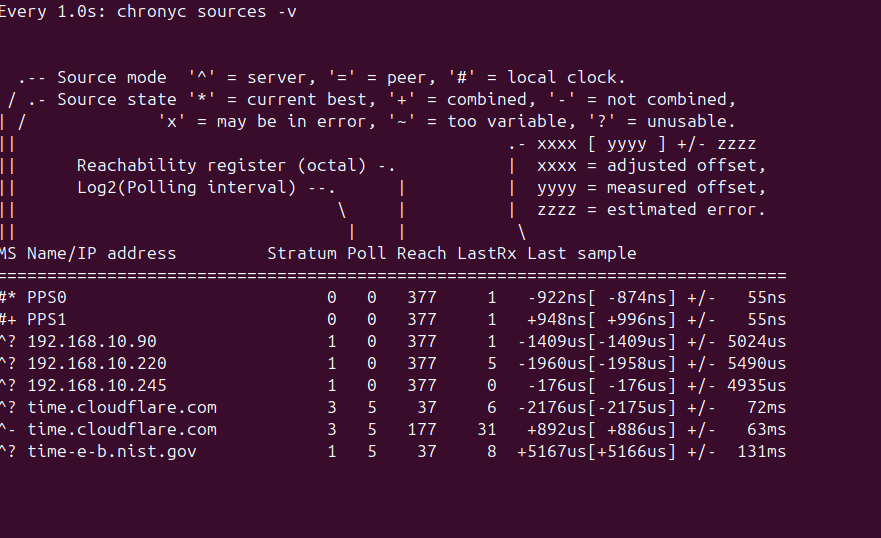
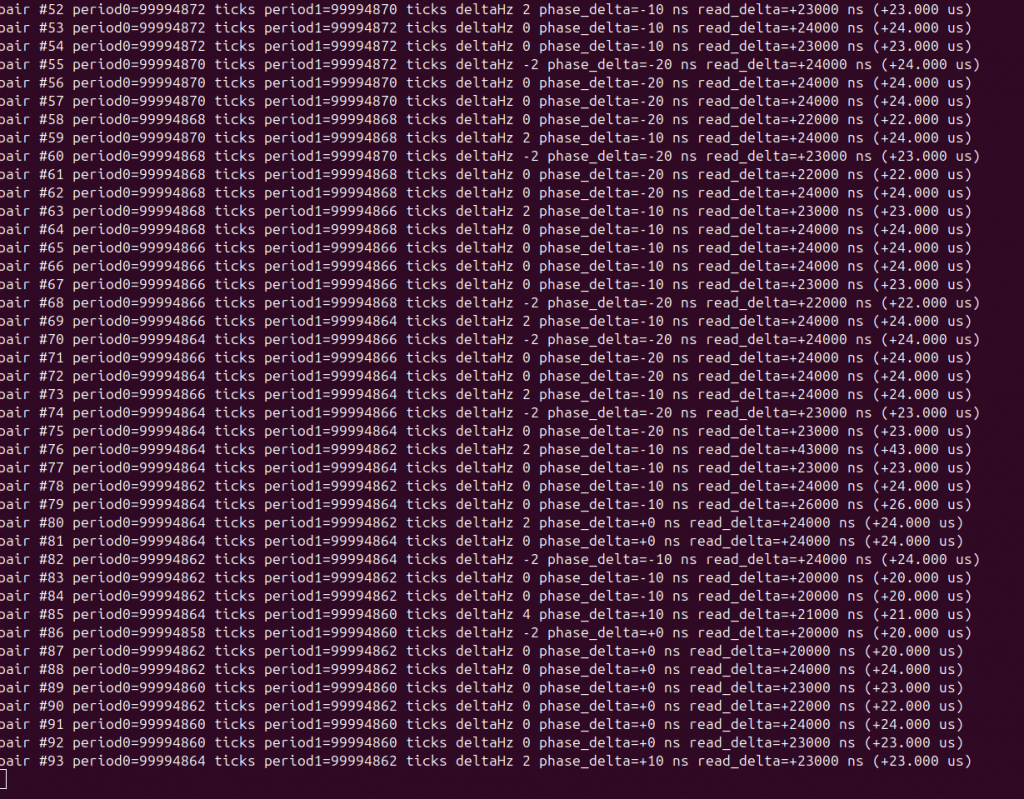
Some screenshot of comparing PPS and nano sec in chrony
For now Cesium is the standard for counting the second – 9,192,631,770Hz
Clock
What actually “ticks”?
Transition region
Precision / fractional uncertainty
Gravity impact near Earth
Rubidium-87
electron hyperfine transition
~6.835 GHz microwave
~10⁻¹¹–10⁻¹² typical accuracy
~90–900 km
Hydrogen maser
electron hyperfine transition
~1.420 GHz microwave
~10⁻¹⁵ stability at favorable avg
~9 m
NIST-F4 Cesium
electron hyperfine transition
9.192631770 GHz microwave
~2.2 × 10⁻¹⁶
~2 m
Strontium-87
electron transition
~429 THz optical
~8.1 × 10⁻¹⁹
~7.4 mm
Aluminum-27 Al⁺
electron transition
~1.12 PHz optical
~5.5 × 10⁻¹⁹
~5 mm
Thorium-229
nucleus transition
~2.0 PHz VUV
~1 × 10⁻¹⁹ projected
~0.9 mm projected
moving the clock doesn’t make its precision worse. Its actual frequency changes because time passes at a different rate in the new gravitational potential. That’s a real relativistic effect, not an error in the clock.