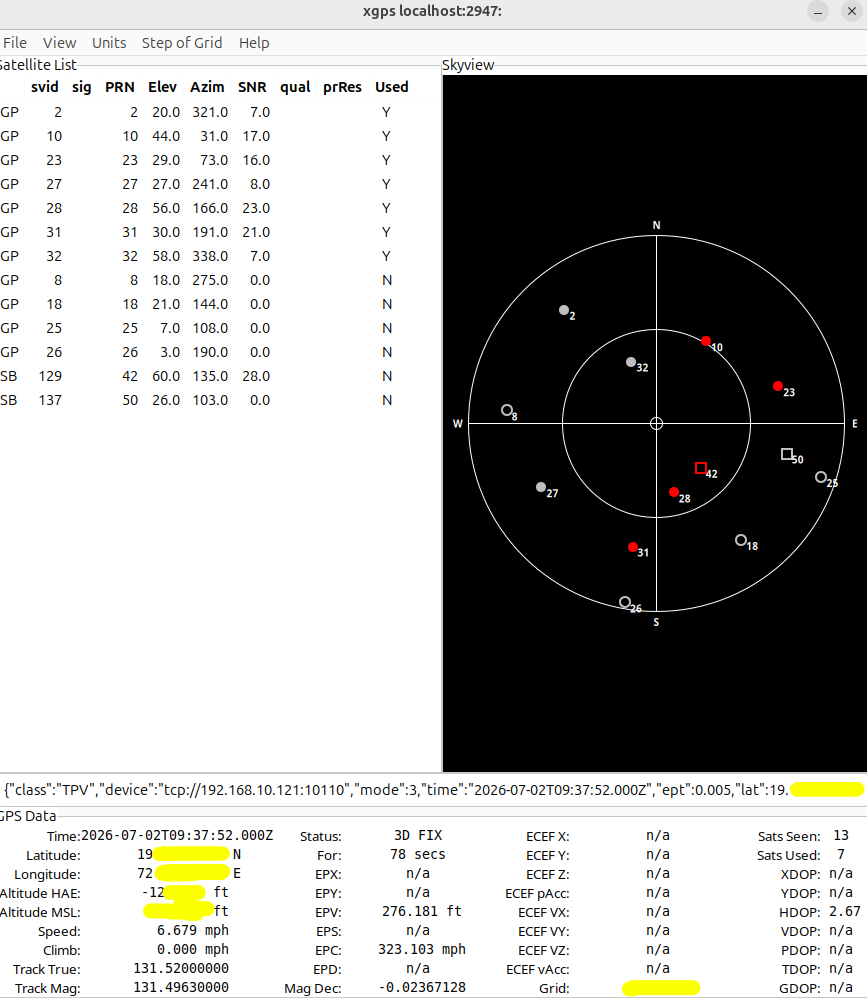
- So pi has 1PPM error rate on it’s clock. it should dirft ~1second per day
systemctl status systemd-timesyncd

root@lp-arm-5:~# timedatectl timesync-status
       Server: 192.168.10.196 (192.168.10.196)
Poll interval: 34min 8s (min: 32s; max 34min 8s)
         Leap: normal
      Version: 4
      Stratum: 1
    Reference: GPS
    Precision: 1us (-20)
Root distance: 0 (max: 5s)
       Offset: -79.759ms
        Delay: 177.920ms
       Jitter: 392.723ms
 Packet count: 437

root@lp-arm-5:~# timedatectl show-timesync
SystemNTPServers=192.168.10.196
FallbackNTPServers=0.debian.pool.ntp.org 1.debian.pool.ntp.org
ServerName=192.168.10.196
ServerAddress=192.168.10.196
RootDistanceMaxUSec=5s
PollIntervalMinUSec=32s
PollIntervalMaxUSec=34min 8s
PollIntervalUSec=34min 8s
NTPMessage={ Leap=0, Version=4, Mode=4, Stratum=1, Precision=-20, RootDelay=0, RootDispersion=0, Reference=GPS, OriginateTimestamp=Sat 2026-08-22 13:55:50 IST, ReceiveTimestamp=Sat 2026-08-22 13:55:50 IST, TransmitTimestamp=Sat 2026-08-22 13:55:50 IST, DestinationTimestamp=Sat 2026-08-22 13:55:50 IST, Ignored=yes, PacketCount=437, Jitter=392.723ms }
Frequency=278345
PollIntervalMaxSec=30
PollIntervalMinSec=30
root@lp-arm-5:~# cat  /etc/systemd/timesyncd.conf
[Time]
NTP=192.168.10.196
#sync every 30 second
PollIntervalMaxSec=30
PollIntervalMinSec=30
FallbackNTP=0.debian.pool.ntp.org 1.debian.pool.ntp.org
[Time]
#NTP=
#FallbackNTP=0.debian.pool.ntp.org 1.debian.pool.ntp.org 2.debian.pool.ntp.org 3.debian.pool.ntp.org
#RootDistanceMaxSec=5
#PollIntervalMinSec=32
#PollIntervalMaxSec=2048
#ConnectionRetrySec=30
#SaveIntervalSec=60
root@lp-arm-5:~# timedatectl  && ntpdate -q 192.168.10.90
               Local time: Sat 2026-08-22 14:55:11 IST
           Universal time: Sat 2026-08-22 09:25:11 UTC
                 RTC time: Sat 2026-08-22 09:25:11
                Time zone: Asia/Kolkata (IST, +0530)
System clock synchronized: yes
              NTP service: inactive
          RTC in local TZ: no
2026-08-22 14:55:11.120999 (+0530) +0.017578 +/- 0.004635 192.168.10.90 s1 no-leap


root@lp-arm-5:~# while true; do     ntpdate -q 192.168.10.90;     sleep 1; done
2026-08-22 14:56:07.223000 (+0530) +0.014346 +/- 0.009613 192.168.10.90 s1 no-leap
2026-08-22 14:56:08.310000 (+0530) +0.016642 +/- 0.008483 192.168.10.90 s1 no-leap
2026-08-22 14:56:09.393000 (+0530) +0.019201 +/- 0.004101 192.168.10.90 s1 no-leap
2026-08-22 14:56:10.473000 (+0530) +0.016223 +/- 0.012315 192.168.10.90 s1 no-leap
root@lp-arm-5:~# head /var/log/gnss.log
===== GNSS NTP measurement Sat Aug 22 23:12:48 IST 2026 =====
2026-08-22 23:11:43.945 offset=158783.000 us drift=N/A us/s drift=N/A ppm
2026-08-22 23:11:45.030 offset=156998.000 us drift=1625.399 us/s drift=1625.399 ppm
2026-08-22 23:11:46.114 offset=160638.000 us drift=-3348.105 us/s drift=-3348.105 ppm
2026-08-22 23:11:47.198 offset=162109.000 us drift=-1357.056 us/s drift=-1357.056 ppm

root@lp-arm-5:~# tail /var/log/gnss.log
2026-08-23 12:07:41.968 offset=395067.000 us drift=-5542.332 us/s drift=-5542.332 ppm
2026-08-23 12:07:43.079 offset=397609.000 us drift=-2343.630 us/s drift=-2343.630 ppm
2026-08-23 12:07:44.187 offset=394536.000 us drift=2763.032 us/s drift=2763.032 ppm
First sample:
2026-08-22 23:11:43.945
offset = 158783 us
       = 158.783 ms

Last sample:
2026-08-23 12:07:50.758
offset = 389441 us
       = 389.441 ms

Therefore:
389.441 ms - 158.783 ms
= 230.658 ms

So if this trend continued, you'd expect roughly:
1 day    ≈ +428 ms
7 days   ≈ +3.0 seconds
30 days  ≈ +12.8 seconds
1 year   ≈ +156 seconds (~2.6 minutes)
- So the Pi4 clock offset increased by approximately:
+230.7 ms
Chrony Service useful parameter
systemctl status chrony

nano /etc/chrony/chrony.conf

server 192.168.10.196 iburst minpoll 5 maxpoll 5

#5 is (2 raise to 5) = 32sec
makestep 1 3

Startup:
update #1 → offset 2.5 s  → STEP immediately
update #2 → offset 0.2 s  → normal slew
update #3 → offset 1.2 s  → STEP immediately

Later:
update #4 → offset 2.0 s  → NO step; chrony slews it
maxupdateskew 100.0

means if chrony estimates the clock's frequency correction with uncertainty greater than 100 ppm, it will not use that update to adjust the clock. Lower = stricter confidence requirement.
@home:~$ chronyc sources -v

MS Name/IP address         Stratum Poll Reach LastRx Last sample
===============================================================================
^* gps1.home                     1   5   356    91  -2499us[-2864us] +/- 3502us

^* gps1.home                     1   5   317    31   -375us[-8253us] +/- 3580us

^* gps1.home                     1   5   237    11  -1792us[-2216us] +/- 3297us

^* gps1.home                     1   5    77    17   -564us[ -652us] +/- 5086us