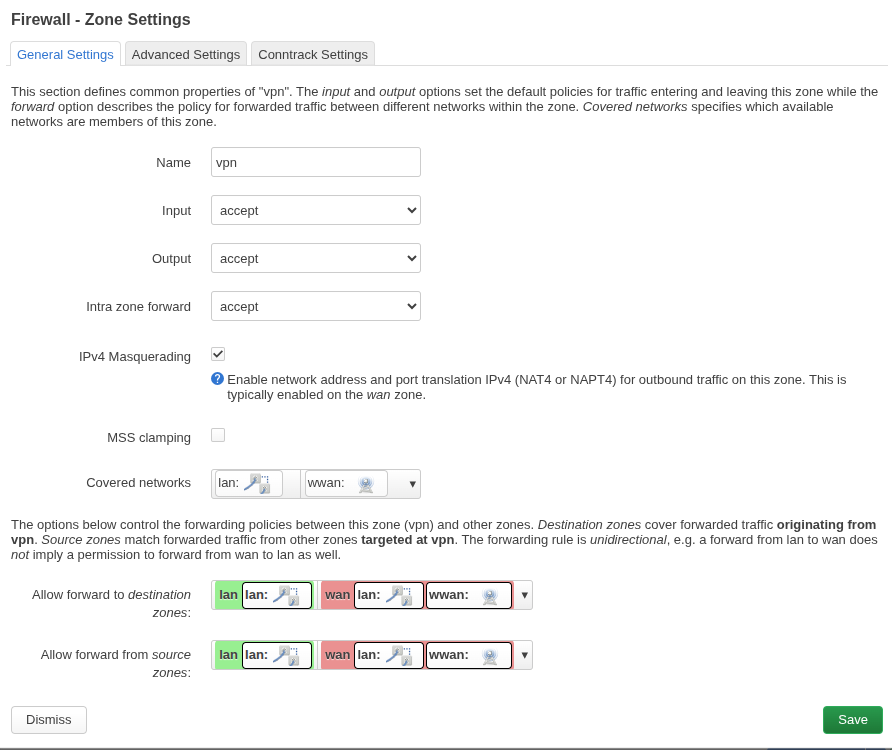
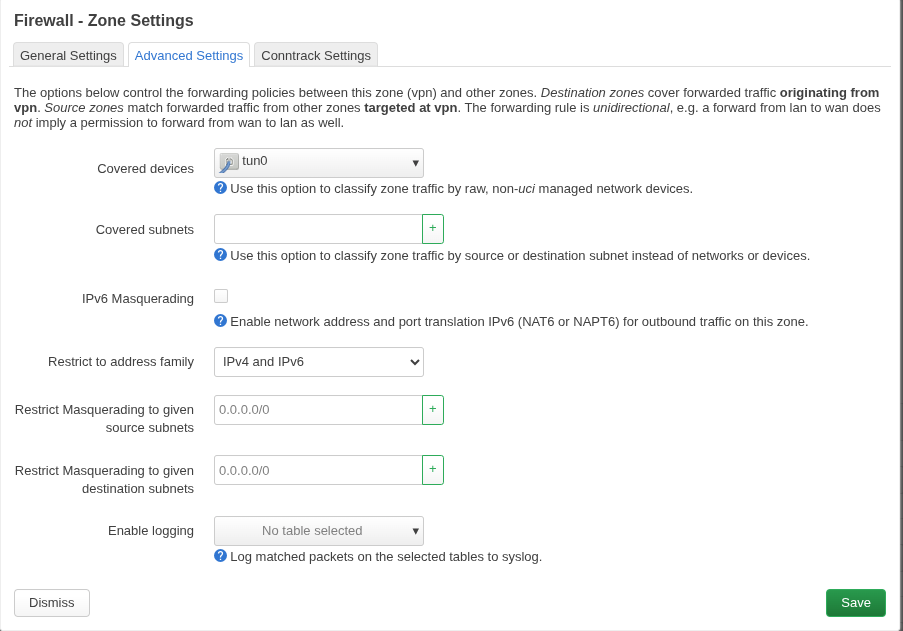
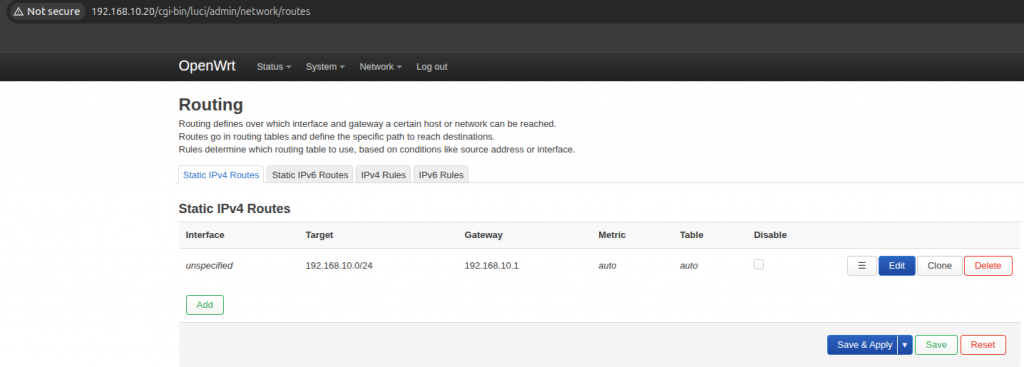
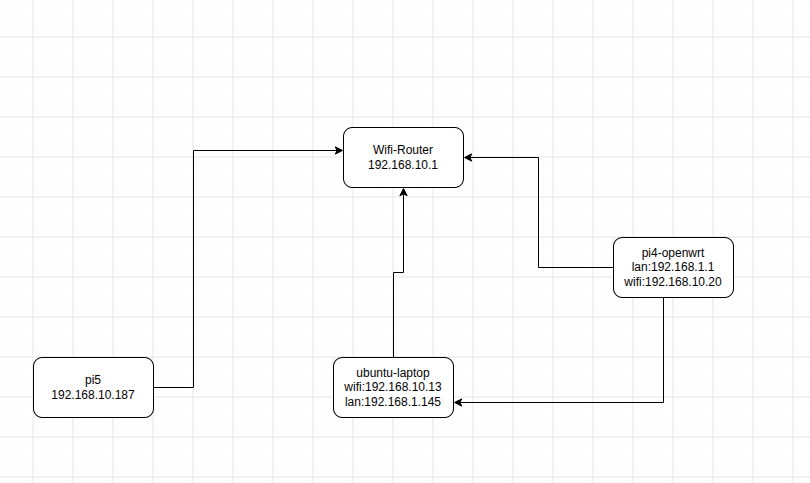
Now i can do ssh from pi5 to ubuntu-laptop on 192.168.1.145 even when i disconnected form wifi on ubuntu-laptop.
root@lp-arm-5:~# ssh root@192.168.1.145
root@192.168.1.145's password:
Welcome to Ubuntu 24.04.2 LTS (GNU/Linux 6.17.0-14-generic x86_64)

 * Documentation:  https://help.ubuntu.com
 * Management:     https://landscape.canonical.com
 * Support:        https://ubuntu.com/pro

Expanded Security Maintenance for Applications is not enabled.

376 updates can be applied immediately.
364 of these updates are standard security updates.
To see these additional updates run: apt list --upgradable

89 additional security updates can be applied with ESM Apps.
Learn more about enabling ESM Apps service at https://ubuntu.com/esm

Last login: Sat Jul 25 18:59:08 2026 from 192.168.10.118
#include <WiFi.h>

const char *ssid = "wifi";
const char *password = "pass";

// GPS UART
HardwareSerial GPS(2); // UART2

// Standard NMEA TCP port
WiFiServer server(10110);

// Allow multiple clients
WiFiClient clients[5];

String line;

void setup() {
  Serial.begin(115200);

  // GPS on GPIO21 (RX), GPIO22 (TX)
  GPS.begin(9600, SERIAL_8N1, 21, 22);

  WiFi.mode(WIFI_STA);
  WiFi.begin(ssid, password);

  Serial.print("Connecting");

  while (WiFi.status() != WL_CONNECTED) {
    delay(500);
    Serial.print(".");
  }

  Serial.println();
  Serial.print("Connected: ");
  Serial.println(WiFi.localIP());

  server.begin();
  server.setNoDelay(true);

  Serial.println("NMEA TCP server started on port 10110");
}

void loop() {

  // Accept new clients
  if (server.hasClient()) {

    for (int i = 0; i < 5; i++) {

      if (!clients[i] || !clients[i].connected()) {

        if (clients[i])
          clients[i].stop();

        clients[i] = server.available();
        clients[i].setNoDelay(true);

        Serial.printf("Client %d connected\n", i);
        break;
      }
    }

    // No room
    WiFiClient reject = server.available();
    reject.stop();
  }

  // Read GPS
  while (GPS.available()) {

    char c = GPS.read();

    // Echo to USB serial
    Serial.write(c);

    line += c;

    if (c == '\n') {

      // Send complete NMEA sentence to all clients
      for (int i = 0; i < 5; i++) {

        if (clients[i] && clients[i].connected()) {

          clients[i].print(line);

          if (clients[i].getWriteError()) {
            clients[i].stop();
          }
        }
      }

      line.clear();

      // Prevent runaway if malformed data
      if (line.length() > 256)
        line.clear();
    }
  }
}
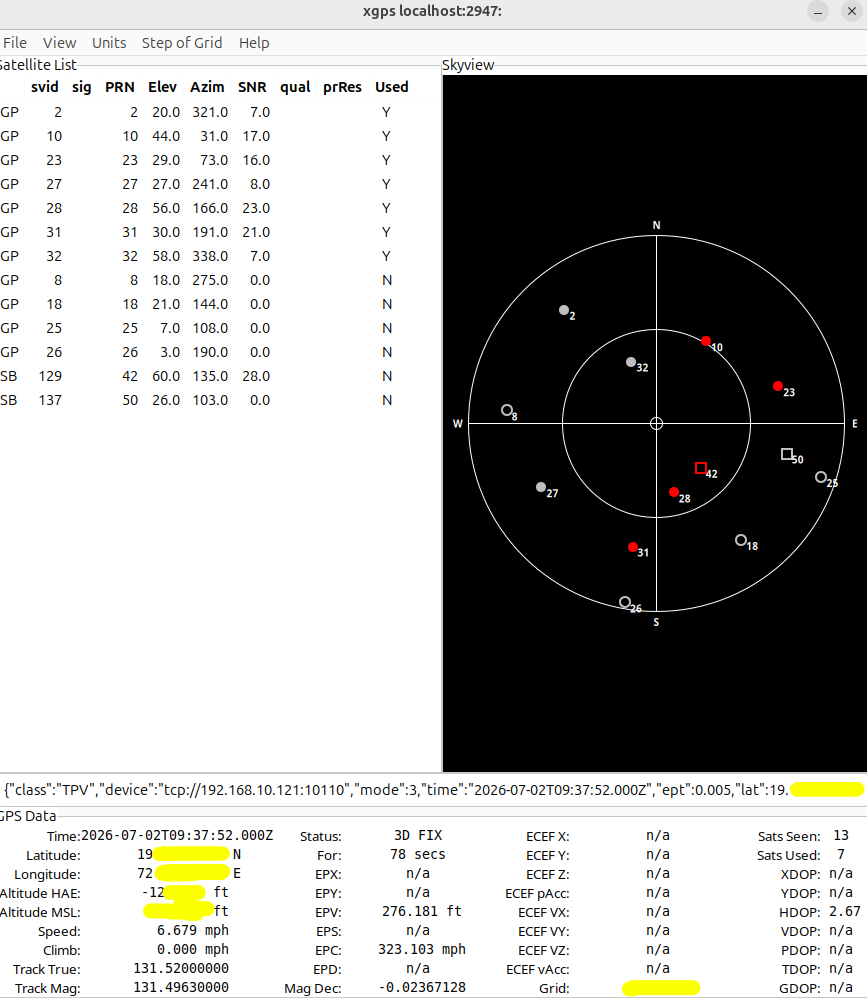
xgps to view data
apt install gpsd gpsd-clients
nc ESP-IP 10110
#OR
gpsd tcp://192.168.1.150:10110

#lauch
xgps

#or
sudo systemctl stop gpsd.socket gpsd
gpsd -N -n -D 5 tcp://192.168.10.196:10110
gpspipe -r
#lauch
xgps

#check time of laptop
home@home:~$ ntpdate -q 192.168.10.196
2026-07-28 17:58:10.0 (+0530) -1.950956 +/- 0.001631 192.168.10.196 s1 no-leap

Your computer's clock is about -1.950956 seconds ahead of the GPS-based NTP server. To match the GPS time, your clock would need to move backward by about -1.950956 seconds.

systemctl enable --now chrony

@home: timedatectl
               Local time: Tue 2026-07-28 18:09:42 IST
           Universal time: Tue 2026-07-28 12:39:42 UTC
                 RTC time: Tue 2026-07-28 12:39:42
                Time zone: Asia/Kolkata (IST, +0530)
System clock synchronized: yes
              NTP service: active
          RTC in local TZ: no

@home:~$ chronyc tracking
Reference ID    : 41007738 (ec2-65-0-119-56.ap-south-1.compute.amazonaws.com)
Stratum         : 5
Ref time (UTC)  : Tue Jul 28 12:41:44 2026
System time     : 0.000236698 seconds fast of NTP time
Last offset     : +0.000414969 seconds
RMS offset      : 0.000378138 seconds
Frequency       : 14.685 ppm fast
Residual freq   : +1.339 ppm
Skew            : 21.187 ppm
Root delay      : 0.010673190 seconds
Root dispersion : 0.000975857 seconds
Update interval : 64.2 seconds
Leap status     : Normal


chronyc sources -v