- Zone – Add
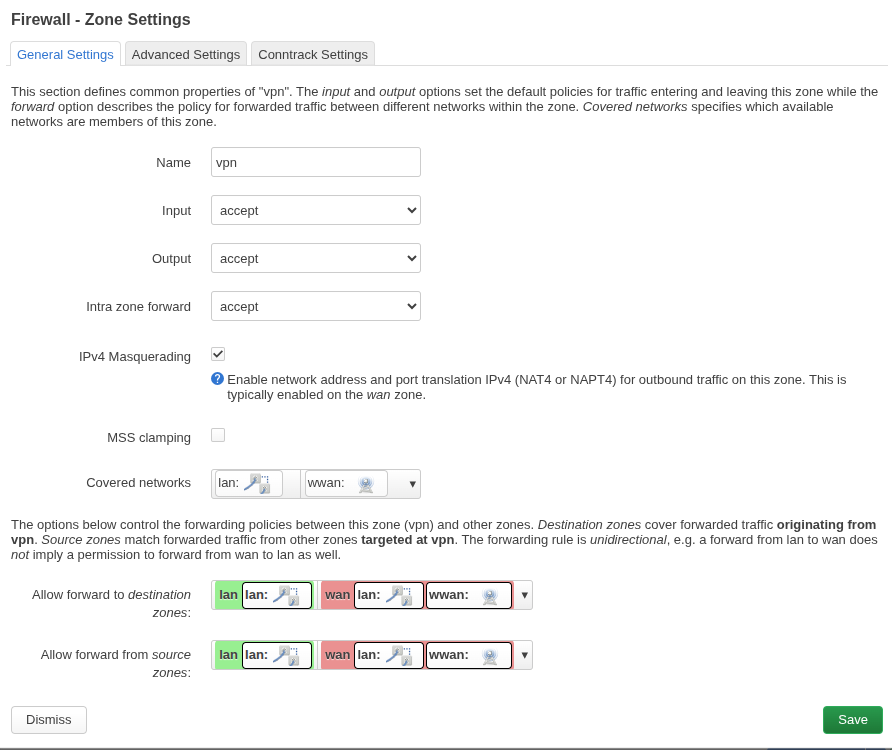
Example (/etc/config/firewall):
config zone
    option name 'vpn'
    list network 'vpn'
    option input 'ACCEPT'
    option output 'ACCEPT'
    option forward 'ACCEPT'
    option masq '1'
    option mtu_fix '1'

config forwarding
    option src 'lan'
    option dest 'vpn'
And define the network:
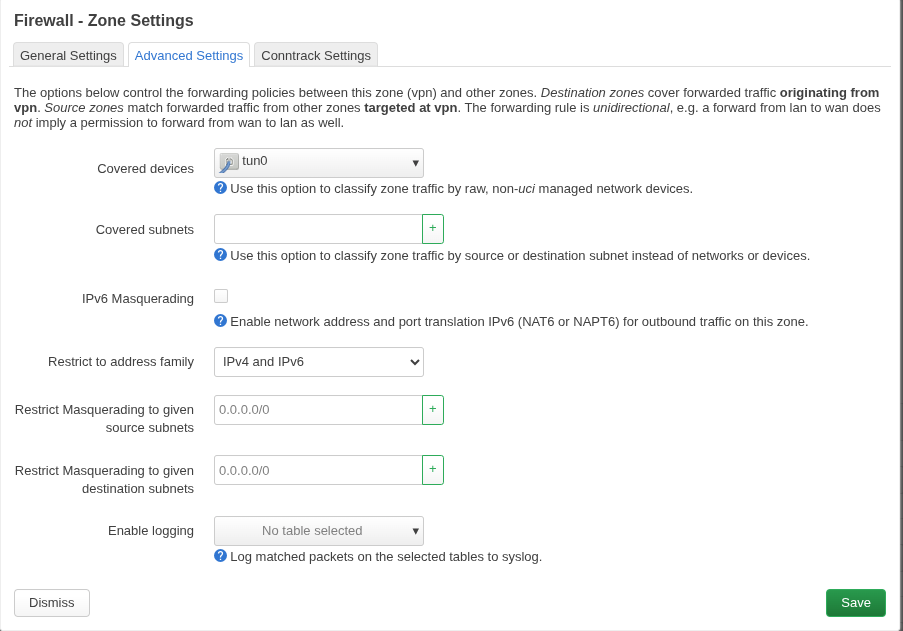
config interface 'vpn'
    option proto 'none'
    option device 'tun0'
Then restart:
/etc/init.d/network restart
/etc/init.d/firewall restart
Run this on OpenWrt:
tcpdump -ni tun0 icmp
Then, from your laptop:
ping 192.168.0.1
- Static route

- Install openvpn
opkg install openvpn-openssl luci-app-openvpn
opkg install openvpn-easy-rsa
/etc/openvpn/client.ovpn

/etc/init.d/openvpn enable
/etc/init.d/openvpn start

/etc/init.d/openvpn status

logread -f openvpn