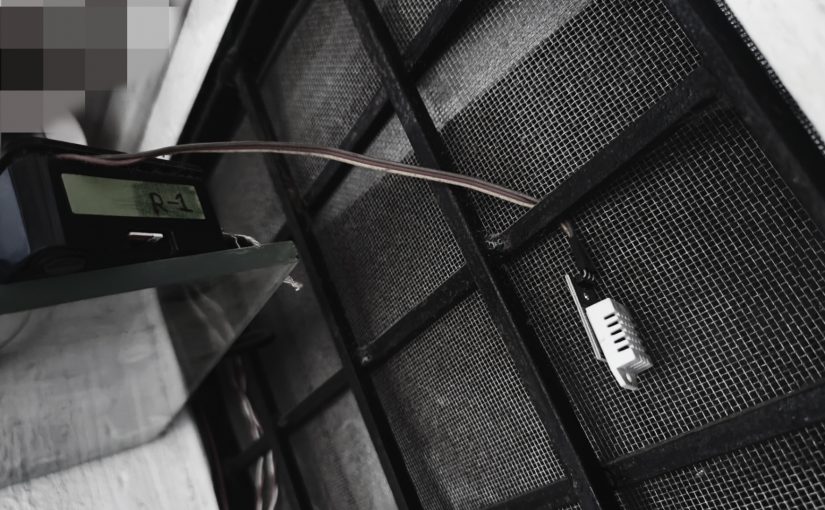
Raspberry pi 4 to measure temperature and humidity with DHT11/DHT22 sensor

pip3 install adafruit-circuitpython-dht
apt-get install libgpiod2

temp.py

import Adafruit_DHT
import time
 
DHT_SENSOR = Adafruit_DHT.DHT11
DHT_PIN = 4

#while loop is there because sometime it does not get the temp.
while True:
    humidity, temperature = Adafruit_DHT.read(DHT_SENSOR, DHT_PIN)
    if humidity is not None and temperature is not None:
        print("Temp={0:0.1f}C Humidity={1:0.1f}%".format(temperature, humidity))
    else:
        print("Sensor failure. Check wiring.");
    time.sleep(1);

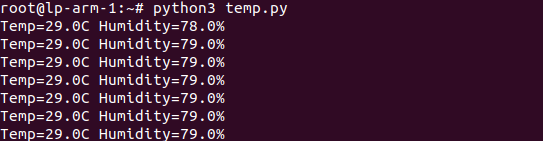
run:

python3 temp.py

For DHT22 sensor:

temp-dht22.py

import Adafruit_DHT
import time

DHT_SENSOR = Adafruit_DHT.DHT22
DHT_PIN = 4

humidity, temperature = Adafruit_DHT.read(DHT_SENSOR, DHT_PIN)
if humidity is not None and temperature is not None:
    #print("Temp={0:0.1f}C Humidity={1:0.1f}%".format(temperature, humidity))
    print("{0},{1}".format(temperature, humidity))
  • shell script to send over pushgateway
root@lp-arm-1:~# cat /opt/cron/get_temp_dht22.sh
#!/bin/bash

t_and_h=$(python3 /opt/cron/get_temp_dht22.py)

temprerature=$(echo $t_and_h | awk -F ',' '{print $1}')
humidity=$(echo $t_and_h | awk -F ',' '{print $2}')
echo "room_temp $temprerature" | curl --data-binary @- http://192.168.0.183:30008/metrics/job/room_temp/instance/lp-arm-1
echo "room_humidity $humidity" | curl --data-binary @- http://192.168.0.183:30008/metrics/job/room_humidity/instance/lp-arm-1

raspberry pi 4 wifi setup using command line only – bash

  • find the wifi adaptor name
lshw

ls /sys/class/net

it was wlan0 in my case

  • edit /etc/netplan/50-cloud-init.yaml
network:
    ethernets:
        eth0:
            dhcp4: true
            optional: true
    version: 2
    wifis:
        wlan0:
            optional: true
            access-points:
                    "SSID-NAME":
                            password: "your_password"
            dhcp4: yes
  • Test the config
netplan try
netplan --debug try

This command will make the above changes for 120seconds if anything wrong it will be reverted back. OR you can hit Enter to make the changes.

  • apply config
netplan generate 
netplan apply
#enable wifi module

modprobe brcmfmac

#disable
modprobe -rv brcmfmac


nano /etc/modprobe.d/raspi-blacklist.conf

blacklist brcmfmac
blacklist brcmutil
  • Stop wifi without reboot
#disable
rfkill block wifi


#enable
rfkill unblock wifi
  • Using NMCLI
nmcli d

nmcli d wifi list

nmcli d wifi connect my_wifi password <password>

#### with BSSID
root@lp-arm-3:~# nmcli device wifi list
IN-USE  BSSID              SSID            MODE   CHAN  RATE        SIGNAL  BARS  SECURITY  
        xx:06:C3:CD:57:xx  TP-Link_123    Infra  153   270 Mbit/s  100     ▂▄▆█  WPA2      
*       xx:06:C3:CD:57:xx  TP-Link_123    Infra  2     130 Mbit/s  93      ▂▄▆█  WPA2 

====================
nmcli d wifi connect xx:06:C3:CD:57:xx password PASSWORD

More : https://raspberrypi.stackexchange.com/questions/108636/setting-wifi-up-via-the-command-line-ubuntu-server-18-04-4-lts-raspberry-pi-4

https://huobur.medium.com/how-to-setup-wifi-on-raspberry-pi-4-with-ubuntu-20-04-lts-64-bit-arm-server-ceb02303e49b

https://ubuntu.com/core/docs/networkmanager/configure-wifi-connections