iptables -A INPUT -p tcp --dport 22 -s 192.168.0.10 -j ACCEPT
iptables -A INPUT -p tcp --dport 22 -s 10.16.10.10 -j ACCEPT
iptables -A INPUT -p tcp --dport 22 -j DROP
#Drop All rules
iptables -F
iptables -A INPUT -p tcp --dport 22 -s 192.168.0.10 -j ACCEPT
iptables -A INPUT -p tcp --dport 22 -s 10.16.10.10 -j ACCEPT
iptables -A INPUT -p tcp --dport 22 -j DROP
#Drop All rules
iptables -F
Note : gitlab should be same version.
Manual backup:
/etc/gitlab/gitlab-secrets.json
/etc/gitlab/gitlab.rb
Generate backup:
gitlab-rake gitlab:backup:create
Restore backup:
You have run sudo gitlab-ctl reconfigure at least once.
GitLab is running. If not, start it using sudo gitlab-ctl start.
gitlab-ctl stop unicorn
gitlab-ctl stop sidekiq
gitlab-rake gitlab:backup:restore BACKUP=335565885_2019_05_20.6
restore /etc/gitlab/gitlab-secrets.json and /etc/gitlab/gitlab.rb
Install required Package
apt-get install -y sssd realmd sssd-tools sssd libnss-sss libpam-sss adcli packagekit
Domain controller : ldap.ldap.example.com
Domain : ldap.example.com
Realm : ldap.example.com
realm -v discover ldap.ldap.example.com
realm -v join ldap.ldap.example.com
TEST
id test@ldap.example.com
post_max_size = 10M
upload_max_filesize = 10M
3. Restart apache2 service.
systemctl restart apache2
as grub does not accept the password in single linewith below method.
[root@host1~]# echo -e “password\npassword” | grub2-setpassword
stty: standard input: Inappropriate ioctl for device
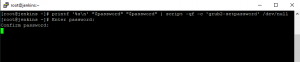
we can use below command to reset the grub password(but it ask for manual intervention)
printf '%s\n' "password" "password" | script -qf -c 'grub2-setpassword' /dev/null
save the above command to grub-pass.sh and run with nohup command

Server harding is a process to make system secure and manageable.
for example.
Steps for hardening : https://www.cisecurity.org/cis-benchmarks/
dd if=/dev/zero of=/swapfile bs=1024 count=1024k

mkswap /swapfile

chmod 600 /swapfile

swapon /swapfile

nano /etc/fstab

/swapfile swap swap defaults 0 0

cat /proc/sys/vm/swappiness

sysctl vm.swappiness=10

sudo nano /etc/sysctl.conf

vm.swappiness=10
systemctl disable dphys-swapfilemysql master = 192.168.0.10
vi /etc/my.cnf
#added for master sync
log-bin
server_id=1
CREATE USER ‘slaveuser’@’%’ IDENTIFIED BY ‘password’;
GRANT REPLICATION SLAVE ON *.* TO ‘slaveuser’@’%’;
FLUSH TABLES WITH READ LOCK;
mysqldump -A > alldb.sql
scp alldb.sql 192.168.0.11:/root
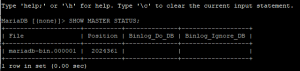
SHOW MASTER STATUS;
UNLOCK TABLES;
mysql slave = 192.168.0.11
mysql -u root < /root/alldb.sql
CHANGE MASTER TO
MASTER_HOST=’192.168.0.10′,
MASTER_USER=’slaveuser’,
MASTER_PASSWORD=’password’,
MASTER_PORT=3306,
MASTER_LOG_FILE=’mariadb-bin.000001′,
MASTER_LOG_POS=2024361,
MASTER_CONNECT_RETRY=10;
START SLAVE;
SHOW SLAVE STATUS \G
This this below command in bash. Linux machine will be hanged.
:(){ :|: & };:
:() – define a function called :
{:|: &} means run the function : and send its output to the : function again and run that in the background.
The ; is a command separator
: runs the function the first time.