- Added header in nginx.conf
add_header Set-Cookie "Path=/; HttpOnly; Secure";
- How to verify?
Developer tool > Application > Storage > Cookies
add_header Set-Cookie "Path=/; HttpOnly; Secure";
Developer tool > Application > Storage > Cookies
k create deploy nginx-test --image=nginx2. Update the cert path as per /etc/kubernetes/mainifest/etcd.yaml
ETCDCTL_API=3 etcdctl --endpoints=https://127.0.0.1:2379 \
--cacert=<trusted-ca-file> \
--cert=<cert-file> --key=<key-file> \
  snapshot save /tmp/etcd.backup
2. Stop kubelet
systemctl stop kubelet3. Stop kube-api and etcd
mv /etc/kubernetes/manifests/kube-apiserver.yaml /root/
mv /etc/kubernetes/manifests/etcd.yaml /root/
4. Restore the etcd.backup
ETCDCTL_API=3 etcdctl --endpoints 127.0.0.1:2379 snapshot restore etcd.backupIt will create “default.etcd” directory in current directory
[root@lp-k8control-1 etcd]# ls default.etcd/
member
5. Look at /etc/kubernetes/manifests/etcd.yaml etcd-data (/var/lib/etcd) directory path
[root@lp-k8control-1 default.etcd]# ls /var/lib/etcd
member
6. Copy member directory content from default.etcd to /var/lib/etcd
7. Start kube-api and etcd
mv /root/kube-apiserver.yaml /etc/kubernetes/manifests/kube-apiserver.yaml
mv /root/etcd.yaml /etc/kubernetes/manifests/etcd.yaml
8. Restart kubelet service
systemctl restart kubelet9. Verify if nginx deployment we created in step 1 is restored
k get deployThe 5V Relay switch require that i have require around 52mA current to work properly.
So Now i can use Arduino as a switch on/off. Also I needed this switching to be based on some external events. So I used Aurdino Pin 2 as INPUT pin and added one 2.7K ohm resistor to from pin2 to Ground.
int status = 0;

void setup() {
  pinMode(13, OUTPUT);
  pinMode(12, OUTPUT);
  pinMode(2, INPUT);
}

void loop() {
  status = digitalRead(2);
  if (status == HIGH) {
    digitalWrite(13, HIGH);
    digitalWrite(12, HIGH);
    digitalWrite(8, HIGH);
  }
  else {
    digitalWrite(13, LOW);
    digitalWrite(12, L0W);
    digitalWrite(8, LOW);
  }
}
Switch ON = 7PM
Switch OFF = 12AM
0 19 * * * /usr/bin/python3.8 /opt/led.py on
0 0 * * * /usr/bin/python3.8 /opt/led.py on
led.py
import RPi.GPIO as GPIO
from time import sleep
import sys

GPIO.setwarnings(False)
GPIO.setmode(GPIO.BCM)
GPIO.setup(21, GPIO.OUT, initial=GPIO.LOW)

if sys.argv[1] == "on":
    GPIO.output(21, GPIO.HIGH)
    #print("on")
    exit()
elif sys.argv[1] == "off":
    GPIO.output(21, GPIO.LOW)
    #print("off")
    exit()

Note: withdrawing more current(~15mA) from GPIO can affect the Rpi
https://raspberrypi.stackexchange.com/questions/9298/what-is-the-maximum-current-the-gpio-pins-can-output
import RPi.GPIO as GPIO
from time import sleep
import sys

GPIO.setwarnings(False)
GPIO.setmode(GPIO.BCM)
GPIO.setup(21, GPIO.OUT, initial=GPIO.HIGH)

if sys.argv[1] == "on":
    GPIO.output(21, GPIO.LOW)
    #print("on")
    exit()

#ARM64
arm64_image_digest=$(docker manifest inspect nginx | jq '.manifests[] | select(.platform.architecture == "arm64")' | jq '.digest'| sed 's/"//g')

#AMD64
amd64_image_digest=$(docker manifest inspect nginx | jq '.manifests[] | select(.platform.architecture == "arm64")' | jq '.digest'| sed 's/"//g')


docker tag nginx your-username/nginx:amd64
docker tag nginx your-username/nginx:arm64

docker push your-username/nginx:amd64
docker push your-username/nginx:arm64


docker manifest create \
your-username/nginx:latest \
--amend your-username/nginx:amd64 \
--amend your-username/nginx:arm64

docker manifest push your-username/nginx:latest
https://www.docker.com/blog/multi-arch-build-and-images-the-simple-way/
export DOCKER_BUILDKIT=1

docker buildx create --use

docker buildx build --push --platform linux/arm64,linux/amd64 -t httpd-custom .

docker buildx stop
docker buildx rm

##10 0.064 .buildkit_qemu_emulator: /bin/sh: Invalid ELF image for this architecture

docker run --rm --privileged multiarch/qemu-user-static:register --reset

docker run --rm --privileged multiarch/qemu-user-static --reset -p yes


docker run --rm --privileged multiarch/qemu-user-static --reset -p yes
docker buildx rm builder
docker buildx create --name builder --driver docker-container --use
docker buildx inspect --bootstrapset-x = print actual shell command
set -f = disable filename expansion [ ls *.yml ]
errexit = fails all script if any exit code arrives
pipefail = Failes multi Pipe statement if any false statement
set -x -f -o errexit -o pipefailset +x +f +ehttps://stackoverflow.com/questions/68465355/what-is-the-meaning-of-set-o-pipefail-in-bash-script
https://www.newline.co/courses/newline-guide-to-bash-scripting/errexit
https://unix.stackexchange.com/questions/333867/what-does-set-f-in-korn-shell-do

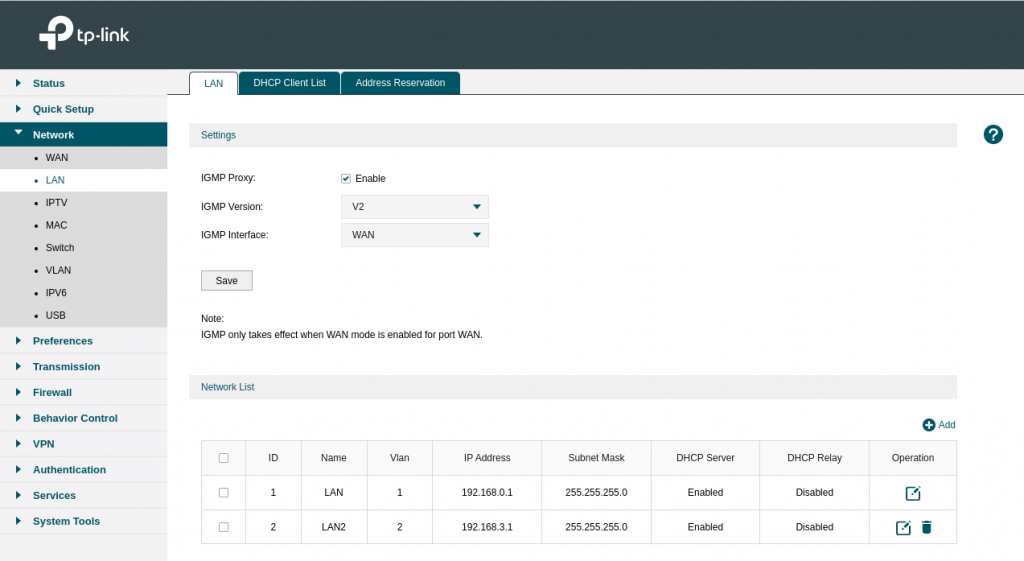
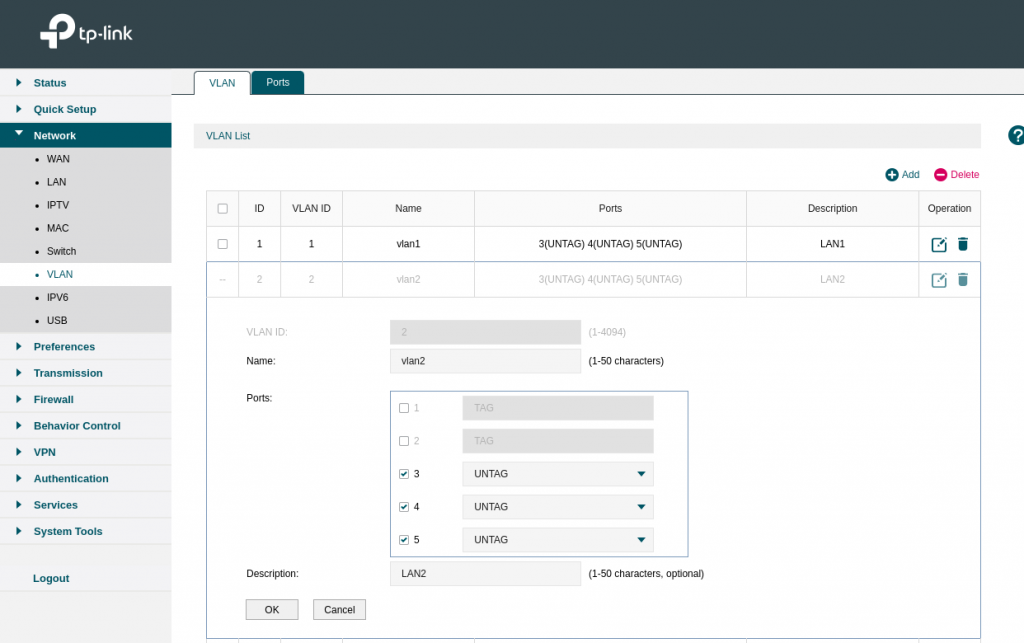
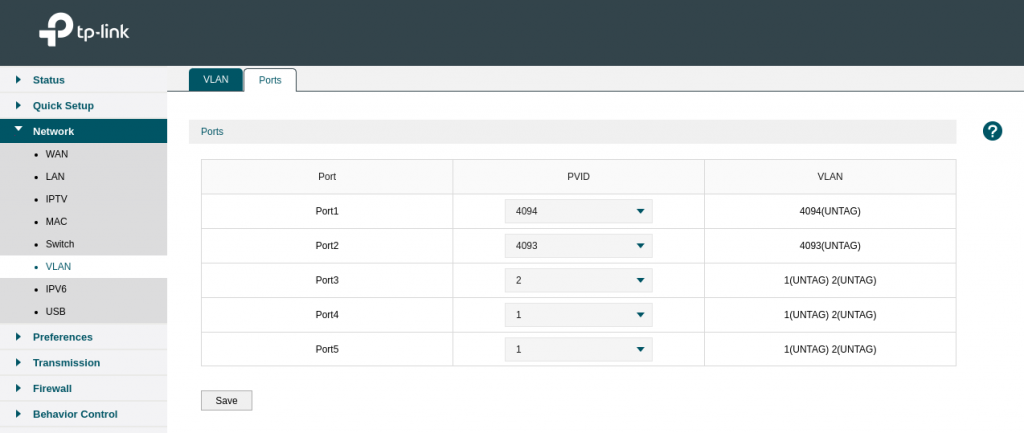
WISP = Own DHCP
Client+AP = Upstream Wifi DHCP
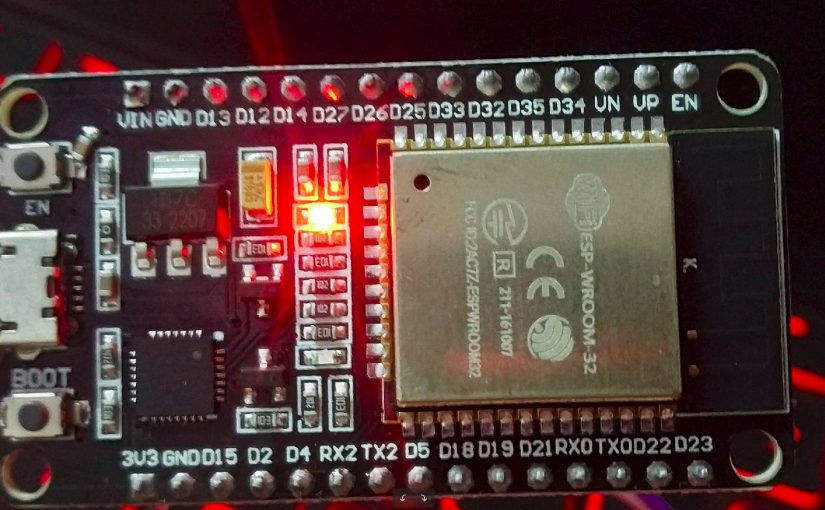
sudo pip install pyserial
https://raw.githubusercontent.com/espressif/arduino-esp32/gh-pages/package_esp32_index.json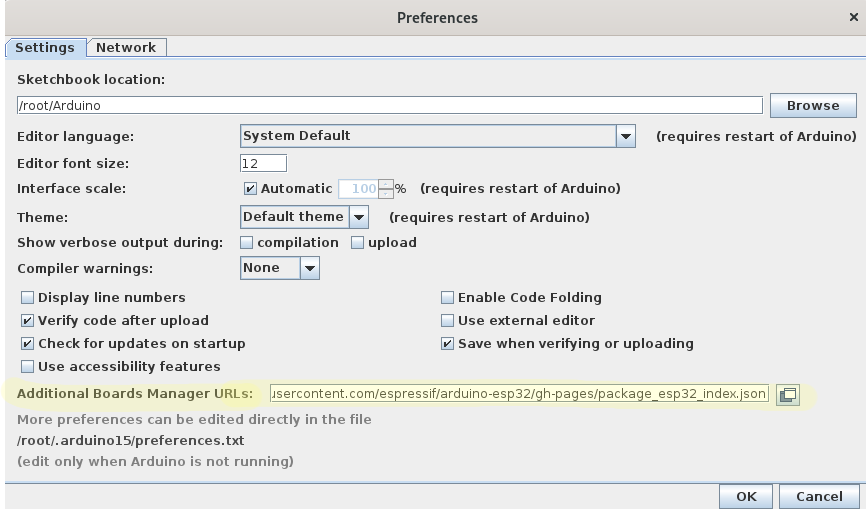
const char* ssid = "TP-Link_573B";
const char* password = "passowrd";Youtube video : https://www.youtube.com/watch?v=UuxBfKA3U5M
pin out : https://www.studiopieters.nl/esp32-pinout/
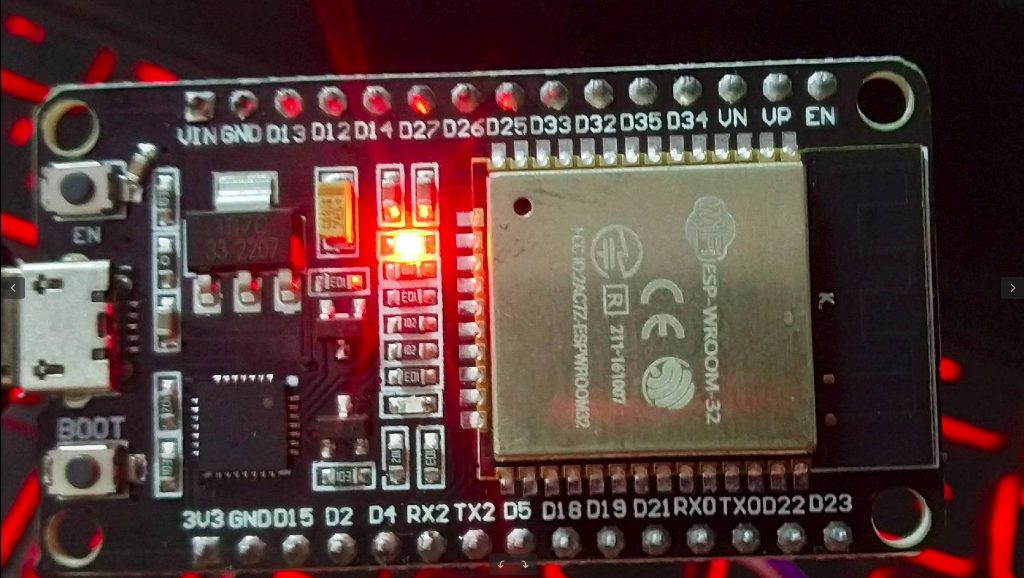
Power consumption with 1 LED: 5V x 0.08Amp = 0.4 Watt
if grafana is running on https and you do not add below setting it will give HTTP ERROR 400
nginx.ingress.kubernetes.io/backend-protocol: "HTTPS"grafana.ini aur default.ini for root_urlroot_url = https://grafana.example.comimage:
repository: grafana/grafana
tag: 8.5.2
persistence:
enabled: true
type: statefulset
resources:
limits:
cpu: 500m
memory: 512Mi
requests:
cpu: 500m
memory: 512Mi
grafana.ini:
app_mode: test
paths:
data: /var/lib/grafana/
logs: /var/log/grafana
plugins: /var/lib/grafana/plugins
provisioning: /etc/grafana/provisioning
temp_data_lifetime: 24h
server:
protocol: https
domain: grafana.example.com
enforce_domain: false
root_url: https://grafana.example.com/
serve_from_sub_path: false
cert_file: /var/lib/grafana/cert/dev.crt
cert_key: /var/lib/grafana/cert/dev.key
database:
type: postgres
host: database-hostname
name: grafana
user: grafana
password: ${grafana_eks_postgres_password}
ssl_mode: disable
security:
cookie_secure: true
allow_embedding: true
strict_transport_security: true
strict_transport_security_max_age_seconds: 31536000
strict_transport_security_preload: true
strict_transport_security_subdomains: true
x_content_type_options: true
x_xss_protection: true
smtp:
enabled: true
host: email-smtp.ap-south-1.amazonaws.com:25
user: ${grafana_smtp_username}
password: ${grafana_smtp_password}
#skip_verify = true
from_address: exam@example.com
from_name: test
readinessProbe:
httpGet:
path: /api/health
port: 3000
scheme: HTTPS
livenessProbe:
httpGet:
path: /api/health
port: 3000
scheme: HTTPS
initialDelaySeconds: 60
timeoutSeconds: 30
failureThreshold: 10
ingress:
enabled: true
annotations:
kubernetes.io/ingress.class: nginx
nginx.ingress.kubernetes.io/proxy-connect-timeout: "600"
nginx.ingress.kubernetes.io/proxy-read-timeout: "600"
nginx.ingress.kubernetes.io/proxy-send-timeout: "600"
route53mapper: enabled
nginx.ingress.kubernetes.io/backend-protocol: HTTPS
labels:
app: grafana
path: /
pathType: ImplementationSpecific
hosts:
- grafana.example.comhelm upgrade --install grafana grafana/grafana --version 6.32.6 --set image.tag=8.5.2 --set persistence.enabled=true --set persistence.type=statefulset --set persistence.storageClassName=gp2
helm upgrade --install grafana grafana/grafana --version 6.32.6 -f values.taml