Today got to know why my sdc41 sensor was showing bad data earlier it used to show 500 in day and 600-800ppm in night when door was closed. #sdc41 #esp32
It was paired with bmp280 and it was using pressure to Compensate the co2. but bmp 280 was showing bad value randomly about -149 hpa
As it was using BMP280 value it was started showing double and after few days it started showing 0 ppm
Now i ran simple code to just get value of sdc41 it was showing 23000 which more than current limit of sdc41 which is 5000
Ran frc 420 to self calibrate the sensor with current value to 420 reference
Ran auto calibration , everything looks good now.
#include <Arduino.h>
#include <Wire.h>
#include <SparkFun_SCD4x_Arduino_Library.h>

// NodeMCU/ESP8266 I2C pins: D2 = SDA, D1 = SCL
static const uint8_t SDA_PIN = D2;
static const uint8_t SCL_PIN = D1;

static const uint16_t MAX_VALID_CO2_PPM = 5000;
static const uint16_t DEFAULT_FRC_REFERENCE_PPM = 420; // Typical fresh-air reference
static const uint32_t FRC_STABILIZE_MS = 180000;       // >= 3 minutes per datasheet
static const float DEFAULT_AMBIENT_PRESSURE_HPA = 1006.0f;

SCD4x scd4x(SCD4x_SENSOR_SCD41);

bool applyAmbientPressureCompensation(float pressureHpa, bool persist = true) {
  if (pressureHpa < 700.0f || pressureHpa > 1200.0f) {
    Serial.println("ERROR: pressure out of expected range (700..1200 hPa).");
    return false;
  }

  const float pressurePa = pressureHpa * 100.0f;

  scd4x.stopPeriodicMeasurement();
  delay(500);

  if (!scd4x.setAmbientPressure(pressurePa)) {
    Serial.println("ERROR: Failed to set ambient pressure compensation.");
    scd4x.startPeriodicMeasurement();
    return false;
  }

  if (persist && !scd4x.persistSettings()) {
    Serial.println("WARNING: Ambient pressure set but persistSettings failed.");
  }

  if (!scd4x.startPeriodicMeasurement()) {
    Serial.println("ERROR: Failed to restart periodic measurement after pressure update.");
    return false;
  }

  Serial.print("Ambient pressure compensation set to ");
  Serial.print(pressureHpa, 1);
  Serial.println(" hPa");
  return true;
}

bool configureAutoSelfCalibration(bool enabled) {
  scd4x.stopPeriodicMeasurement();
  delay(500);

  if (!scd4x.setAutomaticSelfCalibrationEnabled(enabled)) {
    Serial.println("ERROR: Failed to set ASC state.");
    return false;
  }

  if (!scd4x.persistSettings()) {
    Serial.println("WARNING: ASC updated but persistSettings failed.");
  }

  if (!scd4x.startPeriodicMeasurement()) {
    Serial.println("ERROR: Failed to restart periodic measurement after ASC config.");
    return false;
  }

  Serial.print("ASC is now ");
  Serial.println(enabled ? "ENABLED" : "DISABLED");
  return true;
}

bool runForcedRecalibration(uint16_t referencePpm) {
  if (referencePpm < 350 || referencePpm > 2000) {
    Serial.println("ERROR: Reference ppm out of expected FRC range (350..2000).");
    return false;
  }

  Serial.println();
  Serial.println("Starting Forced Recalibration (FRC)...");
  Serial.println("Keep sensor in stable, known CO2 environment.");
  Serial.print("Reference CO2 (ppm): ");
  Serial.println(referencePpm);

  scd4x.stopPeriodicMeasurement();
  delay(500);
  if (!scd4x.startPeriodicMeasurement()) {
    Serial.println("ERROR: Could not start periodic measurement for FRC preconditioning.");
    return false;
  }

  // Datasheet requirement: run in normal mode for at least 3 minutes before FRC.
  const uint32_t startMs = millis();
  while (millis() - startMs < FRC_STABILIZE_MS) {
    const uint32_t remaining = (FRC_STABILIZE_MS - (millis() - startMs)) / 1000;
    Serial.print("FRC preconditioning... ");
    Serial.print(remaining);
    Serial.println(" s remaining");

    if (scd4x.readMeasurement()) {
      Serial.print("  sample CO2(ppm): ");
      Serial.println(scd4x.getCO2());
    }

    delay(5000);
  }

  scd4x.stopPeriodicMeasurement();
  delay(500);

  float correction = 0.0f;
  if (!scd4x.performForcedRecalibration(referencePpm, &correction)) {
    Serial.println("ERROR: FRC failed.");
    scd4x.startPeriodicMeasurement();
    return false;
  }

  Serial.print("FRC correction applied (ppm): ");
  Serial.println(correction, 1);

  if (!scd4x.persistSettings()) {
    Serial.println("WARNING: FRC succeeded but persistSettings failed.");
  }

  if (!scd4x.reInit()) {
    Serial.println("WARNING: reInit failed after FRC.");
  }

  if (!scd4x.startPeriodicMeasurement()) {
    Serial.println("ERROR: Could not restart periodic measurement after FRC.");
    return false;
  }

  Serial.println("FRC complete. Sensor restarted in periodic mode.");
  return true;
}

void handleSerialCommands() {
  if (!Serial.available()) {
    return;
  }

  String cmd = Serial.readStringUntil('\n');
  cmd.trim();
  cmd.toLowerCase();

  if (cmd == "help") {
    Serial.println("Commands:");
    Serial.println("  help         -> show commands");
    Serial.println("  asc on       -> enable automatic self-calibration");
    Serial.println("  asc off      -> disable automatic self-calibration");
    Serial.println("  frc          -> run forced recalibration with 420 ppm reference");
    Serial.println("  frc <ppm>    -> run forced recalibration with custom reference");
    Serial.println("  pressure     -> set pressure compensation to 1006 hPa");
    return;
  }

  if (cmd == "asc on") {
    configureAutoSelfCalibration(true);
    return;
  }

  if (cmd == "asc off") {
    configureAutoSelfCalibration(false);
    return;
  }

  if (cmd == "frc") {
    runForcedRecalibration(DEFAULT_FRC_REFERENCE_PPM);
    return;
  }

  if (cmd.startsWith("frc ")) {
    int ppm = cmd.substring(4).toInt();
    if (ppm <= 0) {
      Serial.println("ERROR: Invalid ppm. Example: frc 420");
      return;
    }
    runForcedRecalibration((uint16_t)ppm);
    return;
  }

  if (cmd == "pressure") {
    applyAmbientPressureCompensation(DEFAULT_AMBIENT_PRESSURE_HPA, true);
    return;
  }

  Serial.print("Unknown command: ");
  Serial.println(cmd);
  Serial.println("Type 'help' for available commands.");
}

void setup() {
  Serial.begin(115200);
  delay(200);

  Serial.println();
  Serial.println("SCD41 minimal CO2 test starting...");

  Wire.begin(SDA_PIN, SCL_PIN);
  Wire.setClock(100000);

  if (!scd4x.begin(true, true, false)) {
    Serial.println("ERROR: SCD41 init failed. Check wiring, power, and I2C address.");
    while (true) {
      delay(1000);
    }
  }

  // Ensure periodic mode starts from a clean state.
  scd4x.stopPeriodicMeasurement();
  delay(500);

  if (!scd4x.startPeriodicMeasurement()) {
    Serial.println("ERROR: Could not start low-power periodic measurement.");
    while (true) {
      delay(1000);
    }
  }

  // Recommended for SCD41 long-term stability in real deployments.
  configureAutoSelfCalibration(true);

  // Overwrite any previously saved bad pressure setting (e.g. from a faulty upstream sensor)
  // and persist the correct local pressure compensation.
  applyAmbientPressureCompensation(DEFAULT_AMBIENT_PRESSURE_HPA, true);

  Serial.println("SCD41 initialized. First reading can take ~30s.");
  Serial.println("Type 'help' in Serial Monitor for calibration commands.");
}

void loop() {
  handleSerialCommands();

  if (!scd4x.readMeasurement()) {
    Serial.println("Measurement not ready yet...");
    delay(5000);
    return;
  }

  const uint16_t co2 = scd4x.getCO2();
  const float temperature = scd4x.getTemperature();
  const float humidity = scd4x.getHumidity();

  Serial.print("CO2(ppm): ");
  Serial.print(co2);
  Serial.print("  Temp(C): ");
  Serial.print(temperature, 2);
  Serial.print("  RH(%): ");
  Serial.println(humidity, 2);

  if (co2 == 0) {
    Serial.println("WARNING: CO2 is 0 ppm (invalid on SCD41). Sensor may still be stabilizing or faulty.");
  } else if (co2 > MAX_VALID_CO2_PPM) {
    Serial.println("WARNING: CO2 is above SCD41 range (5000 ppm). Reading likely invalid; run 'frc 420' in fresh air.");
  }

  delay(5000);
}
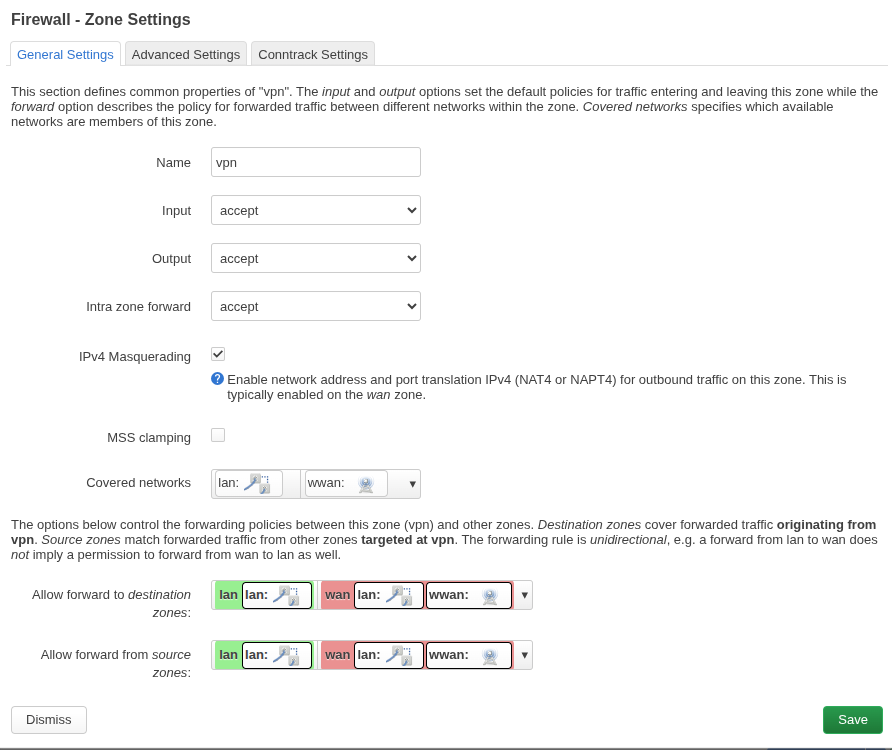
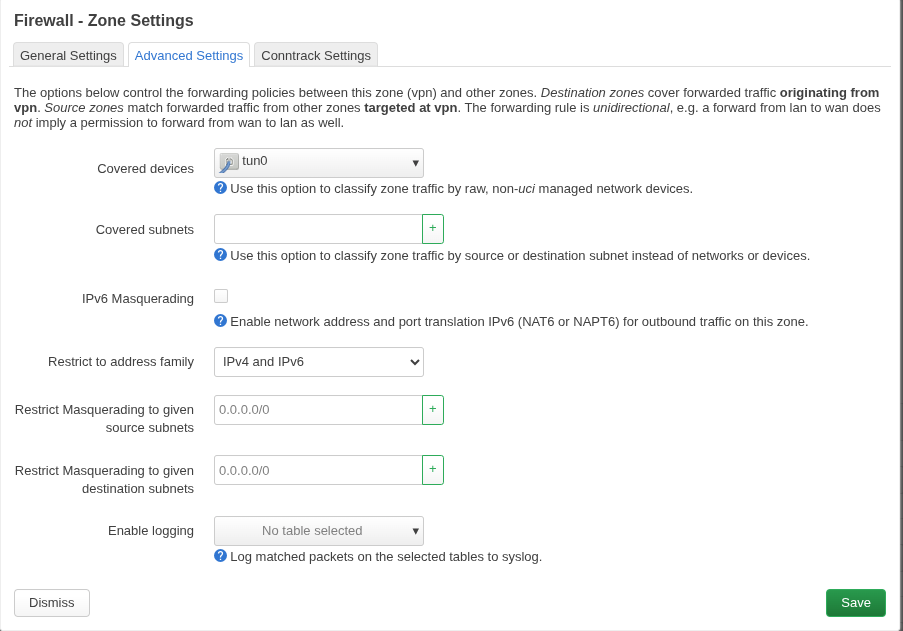
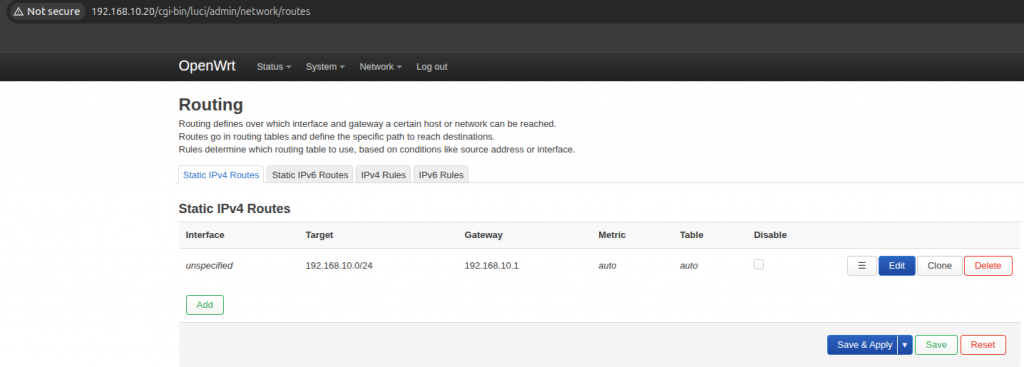
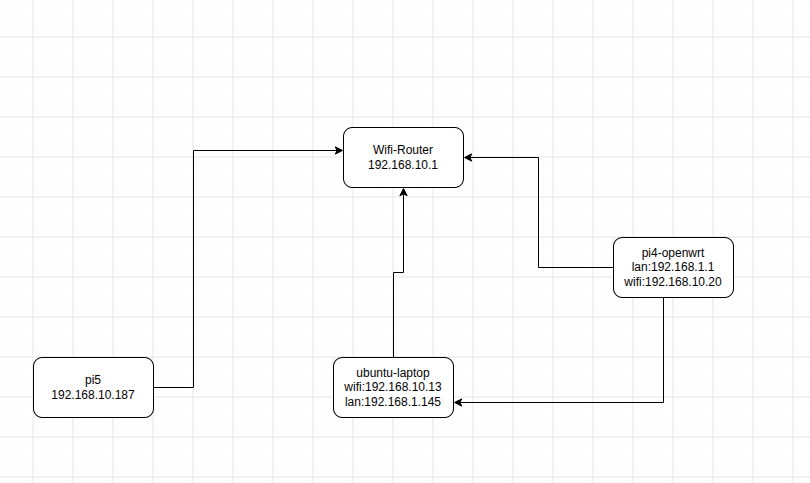
Now i can do ssh from pi5 to ubuntu-laptop on 192.168.1.145 even when i disconnected form wifi on ubuntu-laptop.
root@lp-arm-5:~# ssh root@192.168.1.145
root@192.168.1.145's password:
Welcome to Ubuntu 24.04.2 LTS (GNU/Linux 6.17.0-14-generic x86_64)

 * Documentation:  https://help.ubuntu.com
 * Management:     https://landscape.canonical.com
 * Support:        https://ubuntu.com/pro

Expanded Security Maintenance for Applications is not enabled.

376 updates can be applied immediately.
364 of these updates are standard security updates.
To see these additional updates run: apt list --upgradable

89 additional security updates can be applied with ESM Apps.
Learn more about enabling ESM Apps service at https://ubuntu.com/esm

Last login: Sat Jul 25 18:59:08 2026 from 192.168.10.118
#include <WiFi.h>

const char *ssid = "wifi";
const char *password = "pass";

// GPS UART
HardwareSerial GPS(2); // UART2

// Standard NMEA TCP port
WiFiServer server(10110);

// Allow multiple clients
WiFiClient clients[5];

String line;

void setup() {
  Serial.begin(115200);

  // GPS on GPIO21 (RX), GPIO22 (TX)
  GPS.begin(9600, SERIAL_8N1, 21, 22);

  WiFi.mode(WIFI_STA);
  WiFi.begin(ssid, password);

  Serial.print("Connecting");

  while (WiFi.status() != WL_CONNECTED) {
    delay(500);
    Serial.print(".");
  }

  Serial.println();
  Serial.print("Connected: ");
  Serial.println(WiFi.localIP());

  server.begin();
  server.setNoDelay(true);

  Serial.println("NMEA TCP server started on port 10110");
}

void loop() {

  // Accept new clients
  if (server.hasClient()) {

    for (int i = 0; i < 5; i++) {

      if (!clients[i] || !clients[i].connected()) {

        if (clients[i])
          clients[i].stop();

        clients[i] = server.available();
        clients[i].setNoDelay(true);

        Serial.printf("Client %d connected\n", i);
        break;
      }
    }

    // No room
    WiFiClient reject = server.available();
    reject.stop();
  }

  // Read GPS
  while (GPS.available()) {

    char c = GPS.read();

    // Echo to USB serial
    Serial.write(c);

    line += c;

    if (c == '\n') {

      // Send complete NMEA sentence to all clients
      for (int i = 0; i < 5; i++) {

        if (clients[i] && clients[i].connected()) {

          clients[i].print(line);

          if (clients[i].getWriteError()) {
            clients[i].stop();
          }
        }
      }

      line.clear();

      // Prevent runaway if malformed data
      if (line.length() > 256)
        line.clear();
    }
  }
}
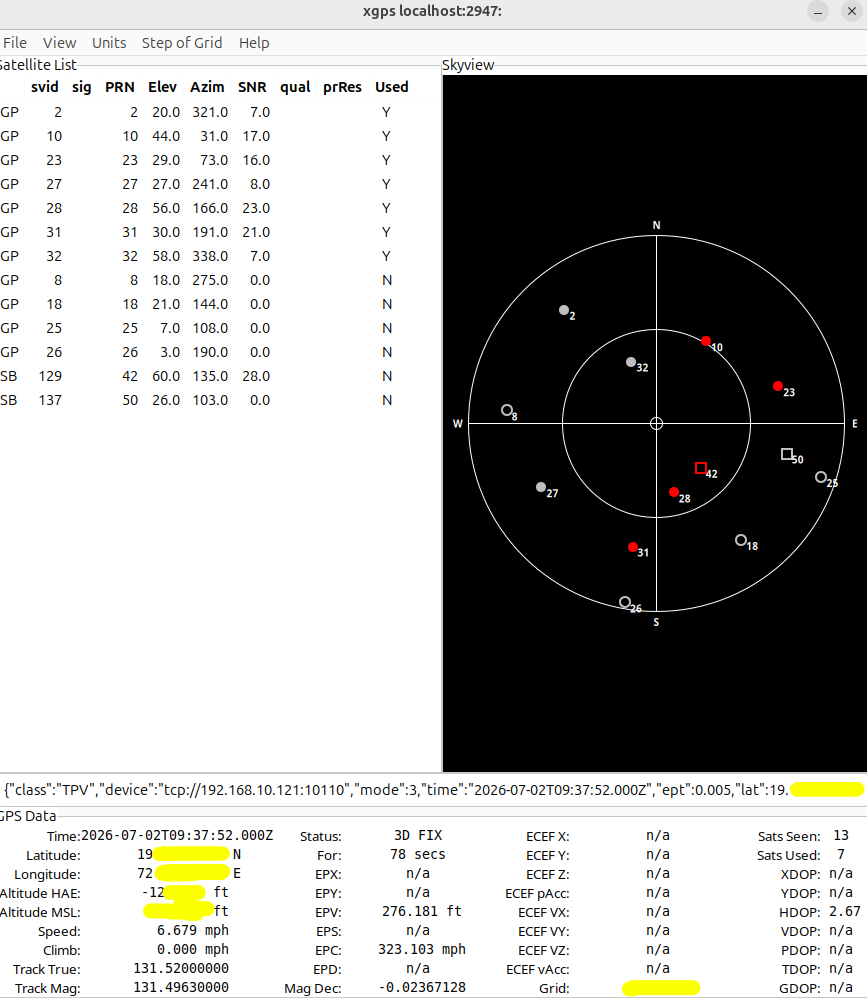
xgps to view data
apt install gpsd gpsd-clients
nc ESP-IP 10110
#OR
gpsd tcp://192.168.1.150:10110

#lauch
xgps

#or
sudo systemctl stop gpsd.socket gpsd
gpsd -N -n -D 5 tcp://192.168.10.196:10110
gpspipe -r
#lauch
xgps

#check time of laptop
home@home:~$ ntpdate -q 192.168.10.196
2026-07-28 17:58:10.0 (+0530) -1.950956 +/- 0.001631 192.168.10.196 s1 no-leap

Your computer's clock is about -1.950956 seconds ahead of the GPS-based NTP server. To match the GPS time, your clock would need to move backward by about -1.950956 seconds.

systemctl enable --now chrony

@home: timedatectl
               Local time: Tue 2026-07-28 18:09:42 IST
           Universal time: Tue 2026-07-28 12:39:42 UTC
                 RTC time: Tue 2026-07-28 12:39:42
                Time zone: Asia/Kolkata (IST, +0530)
System clock synchronized: yes
              NTP service: active
          RTC in local TZ: no

@home:~$ chronyc tracking
Reference ID    : 41007738 (ec2-65-0-119-56.ap-south-1.compute.amazonaws.com)
Stratum         : 5
Ref time (UTC)  : Tue Jul 28 12:41:44 2026
System time     : 0.000236698 seconds fast of NTP time
Last offset     : +0.000414969 seconds
RMS offset      : 0.000378138 seconds
Frequency       : 14.685 ppm fast
Residual freq   : +1.339 ppm
Skew            : 21.187 ppm
Root delay      : 0.010673190 seconds
Root dispersion : 0.000975857 seconds
Update interval : 64.2 seconds
Leap status     : Normal


chronyc sources -v
This means the ESPHome API decided to reboot because no API client (typically Home Assistant or the ESPHome dashboard) was connected for the configured timeout.
By default, if you’re using the api: component, ESPHome can reboot after a period without an API connection.