helm repo add kubecost https://kubecost.github.io/cost-analyzer/

helm upgrade --install kubecost kubecost/cost-analyzer prometheus.server.persistentVolume.enabled=false --namespace kubecost --create-namespace View image in linux ascii terminal
- Install / Download binary from https://github.com/atanunq/viu
Dockerfile
FROM rust:slim-buster as build
ARG ARCH
WORKDIR opt
RUN rustup target add $ARCH-unknown-linux-musl
RUN apt update && apt install git -y
RUN git clone https://github.com/atanunq/viu
WORKDIR viu
RUN cargo build --target $ARCH-unknown-linux-musl --release
RUN cp /viu/target/$ARCH-unknown-linux-musl/release/viu /usr/bin

FROM alpine:3.15.0
COPY --from=build /opt/viu/target/$ARCH-unknown-linux-musl/release/viu /usr/bin
ENTRYPOINT ["viu"]- docker build with args
podman build -t viu --build-arg ARCH=x86_64 .docker run -it -v $(pwd):/opt viu "/opt/img/bfa.jpg"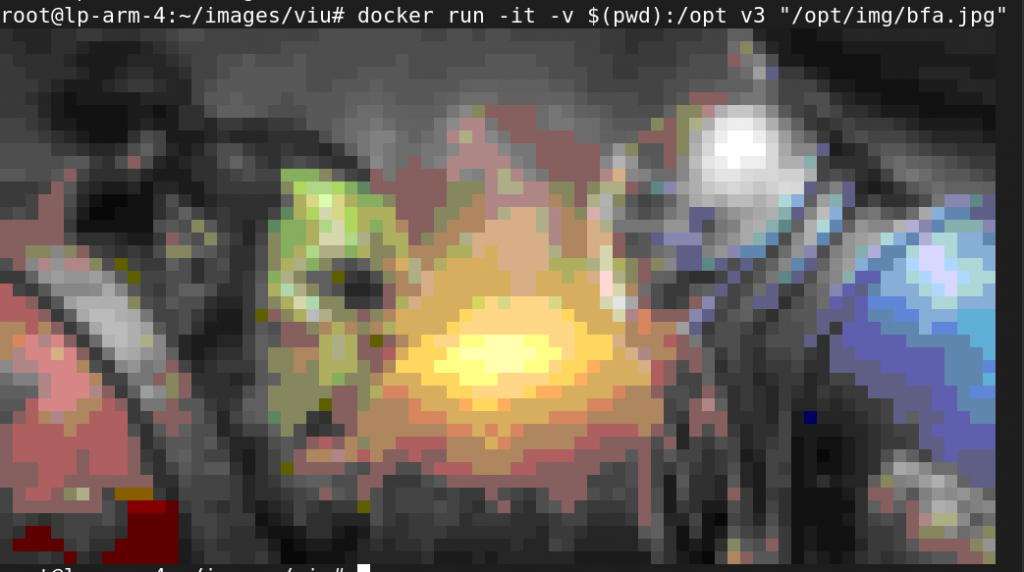
- https://doc.rust-lang.org/nightly/rustc/platform-support.html
- https://unix.stackexchange.com/questions/35333/what-is-the-fastest-way-to-view-images-from-the-terminal
rapsberry pi camera on ubuntu
- see if camera attached to raspberry pi yo will see something like bcm2835-v4l2: V4L2 device registered as video0 – stills mode > 1280×720
root@lp-arm-4:~# dmesg  | grep -i vid
--More--
[   13.071843] bcm2835-isp bcm2835-isp: Device node output[0] registered as /dev/video13
[   13.615235] bcm2835-isp bcm2835-isp: Device node capture[0] registered as /dev/video14
[   13.615709] bcm2835-isp bcm2835-isp: Device node capture[1] registered as /dev/video15
[   13.616053] bcm2835-isp bcm2835-isp: Device node stats[2] registered as /dev/video16
[   13.626826] bcm2835-codec bcm2835-codec: Device registered as /dev/video10
[   13.631504] bcm2835-codec bcm2835-codec: Device registered as /dev/video11
[   13.667772] : bcm2835_codec_get_supported_fmts: port has more encoding than we provided space for. Some are dropped.
[   13.702795] bcm2835-v4l2: V4L2 device registered as video0 - stills mode > 1280x720
[   13.708226] bcm2835-v4l2: Broadcom 2835 MMAL video capture ver 0.0.2 loaded.
[   13.744213] bcm2835-codec bcm2835-codec: Device registered as /dev/video12

--More--
- install raspistill binary
apt install libraspberrypi-bin- check camera status
vcgencmd get_camera- Removing and adding back sunny connector(the yellow thingy below the camera in the board) worked. (very strange)
kubernetes 1.23 to 1.24 ,1.25, 1.26, 27, 28, 29 upgrade
- install containerd and remove docker
systemctl stop docker
dnf remove docker-ce -y

dnf install containerd -y

sudo mkdir -p /etc/containerd
containerd config default | sudo tee /etc/containerd/config.toml
systemctl start containerd
systemctl enable containerd- edit /var/lib/kubelet/kubeadm-flags.env add below
KUBELET_KUBEADM_ARGS="--pod-infra-container-image=k8s.gcr.io/pause:3.5 --container-runtime=remote --container-runtime-endpoint=unix:///run/containerd/containerd.sock"

OR
KUBELET_KUBEADM_ARGS="--container-runtime=remote --container-runtime-endpoint=unix:///run/containerd/containerd.sock"
- edit /etc/crictl.yaml to remove crictl warning message
echo 'runtime-endpoint: unix:///run/containerd/containerd.sock' > /etc/crictl.yamlsystemctl start containerd
#[ERROR FileContent--proc-sys-net-bridge-bridge-nf-call-iptables]: /proc/sys/net/bridge/bridge-nf-call-iptables does not exist
#[ERROR FileContent--proc-sys-net-ipv4-ip_forward]: /proc/sys/net/ipv4/ip_forward contents are not set to 1
lsmod | grep -i netfilter
modprobe br_netfilter
echo 1 > /proc/sys/net/ipv4/ip_forward
echo 'net.bridge.bridge-nf-call-ip6tables = 1
net.bridge.bridge-nf-call-iptables = 1' > /etc/sysctl.d/k8s.confRemove CNI binary form /opt/cni/bin/*
rm -rf /opt/cni/bin/*For Ubuntu 22.04 need to install containernetworking-plugins:
failed to load CNI config list file /etc/cni/net.d/10-calico.conflist: error parsing configuration list: unexpected end of JSON input: invalid cni config: failed to load
apt install containernetworking-plugins

#crontab entry for ubuntu

@reboot modprobe br_netfilter
@reboot echo 1 > /proc/sys/net/ipv4/ip_forward
Note : weaves CNI had issue with containerd , k8 1.24 I uninstalled it.
It’s working with calico CNI
- For new containerd version above 1.5.9
vi /etc/containerd/config.toml

SystemdCgroup = true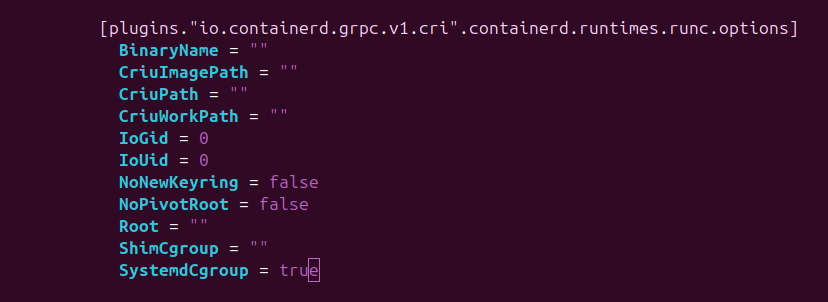
- For Raspberry pi edit
/boot/firmware/cmdline.txtand append this line
cgroup_enable=cpuset cgroup_enable=memory- Kernal 6.12.40-v8+ has some issues with cgroup_enable=memory need to switch to 6.6
root@lp-arm-2:~# cat /proc/cmdline
coherent_pool=1M 8250.nr_uarts=0 snd_bcm2835.enable_headphones=0 cgroup_disable=memory .....

grep memory /proc/cgroups
dmesg | grep 'Kernel command line'
strings /boot/kernel8.img | grep cgroup_disable
- Ubuntu 22.04 kubelet SandboxChanged issue fixed set SystemdCgroup = true in /etc/containerd/config.toml : https://github.com/kubernetes/kubernetes/issues/110177#issuecomment-1161647736
- https://kubernetes.io/docs/concepts/extend-kubernetes/compute-storage-net/network-plugins/
- https://kubernetes.io/docs/tasks/administer-cluster/migrating-from-dockershim/troubleshooting-cni-plugin-related-errors/
- https://github.com/weaveworks/weave/issues/3942
- https://github.com/weaveworks/weave/issues/3936
- https://github.com/awslabs/amazon-eks-ami/blob/master/scripts/install-worker.sh
kuberntes upgrade useful command
kubectl drain ip-10-222-110-231.eu-west-1.compute.internal --delete-emptydir-data="true" --ignore-daemonsets="true" --timeout="15m" --force
kubectl get nodes --label-columns beta.kubernetes.io/instance-type --label-columns beta.kubernetes.io/capacity-type -l role=worker- deleted pod automatically
#send output to env_output.tail
for i in $(cat qa.node);
do echo "draining node : $i"
kubectl drain $i  --delete-emptydir-data="true" --ignore-daemonsets="true" --timeout="15m" --force >> env_output.tail 2>&1
echo "completed node : $i"
done

#read env_output.tail to delete pod
while(true)
do
pods=$(tail -n 20 env_output.tail | grep "error when evicting" | cut -d '(' -f1 | awk -F 'evicting' '{print $2}' | uniq | awk '{print $1,$2,$3}')
echo pods: $pods
apod=$(echo "$pods" | sed 's/"//g')
echo apod: $apod
echo "kubectl delete $apod"
kubectl delete $apod
sleep 5
done
#namespace=$(kubeclt get ns | tr "\n" " ")
namespace="abc xyz"
for ns in $namespace
do
deploy=$(kubectl get deploy -n $ns | grep -v '0/' | awk '{print $1}' | sed 1d)
for i in $deploy
do
kubectl -n $ns patch deployment $i -p '{"spec": {"template": {"spec": {"containers": [{"name": "'$i'","resources": { "requests": {"cpu": "100m"}}}]}}}}'
echo "patched : $i ns=$ns"
done
done
rysnc –partial , -P is awesome
[home@home Downloads]$ time rsync -parvP ubuntu-20.04.4-live-server-amd64.iso root@192.168.0.183:/tmp
sending incremental file list
ubuntu-20.04.4-live-server-amd64.iso
    646,053,888  48%   11.15MB/s    0:01:00  ^C
rsync error: unexplained error (code 255) at rsync.c(703) [sender=3.2.3]

real	0m56.958s
user	0m6.159s
sys	0m2.564s


[home@home Downloads]$ time rsync -parvP ubuntu-20.04.4-live-server-amd64.iso root@192.168.0.183:/tmp
sending incremental file list
ubuntu-20.04.4-live-server-amd64.iso
  1,331,691,520 100%   20.02MB/s    0:01:03 (xfr#1, to-chk=0/1)

sent 658,982,006 bytes  received 178,830 bytes  9,765,345.72 bytes/sec
total size is 1,331,691,520  speedup is 2.02

real	1m6.846s
user	0m27.066s
sys	0m1.862s
[home@home Downloads]$ time rsync -parv ubuntu-20.04.4-live-server-amd64.iso root@192.168.0.183:/tmp
sending incremental file list
ubuntu-20.04.4-live-server-amd64.iso
sent 1,332,016,766 bytes received 35 bytes 11,633,334.51 bytes/sec
total size is 1,331,691,520 speedup is 1.00
real 1m54.871s
user 0m6.400s
sys 0m3.748skubernetes ingress with TLS
- Create self signed cert
openssl req \
    -new \
    -newkey rsa:4096 \
    -days 365 \
    -nodes \
    -x509 \
    -subj "/C=US/ST=Denial/L=Springfield/O=Dis/CN=example.com" \
    -keyout example.com.key \
-out example.com.cert- Create k8 certificate using above cert
kubectl create secret tls example-cert \
  --key="example.com.key" \
--cert="example.com.cert"- ingress.yaml file
apiVersion: networking.k8s.io/v1
kind: Ingress
metadata:
  annotations:
    kubernetes.io/ingress.class: "haproxy"
    haproxy.org/rewrite-target: "/"
  name: prometheus-ingress
spec:
  rules:
  - host: prometheus.example.com
    http:
      paths:
      - path: /
        pathType: Prefix
        backend:
          service:
            name: prometheus-service
            port:
              number: 9090
 tls:
 - secretName: example-cert
   hosts:
- prometheus.example.comundo/redo in vi editor
- I have been wanted this since long but never search if it’s avaiable or not.
- I thought of writing some ebpf program which will trigger copy if we run run vi command. but there is already inbuild command in vi
command mode:
u5uinsert mode:
:u:undoRedo:
CTRL + R:redoLinux ram more information
- Get ram details
lshw -class memorydmidecode -t memory- Check ram latancy info
dnf install decode-dimms

decode-dimmsAWS Lambda to stop ec2 instance with cron
- Create aws lambda function
- Attach IAM role as required
import boto3
region = 'ap-south-1'
instances = ['i-0e4e6863cd3da57b5']
ec2 = boto3.client('ec2', region_name=region)
def lambda_handler(event, context):
    ec2.stop_instances(InstanceIds=instances)
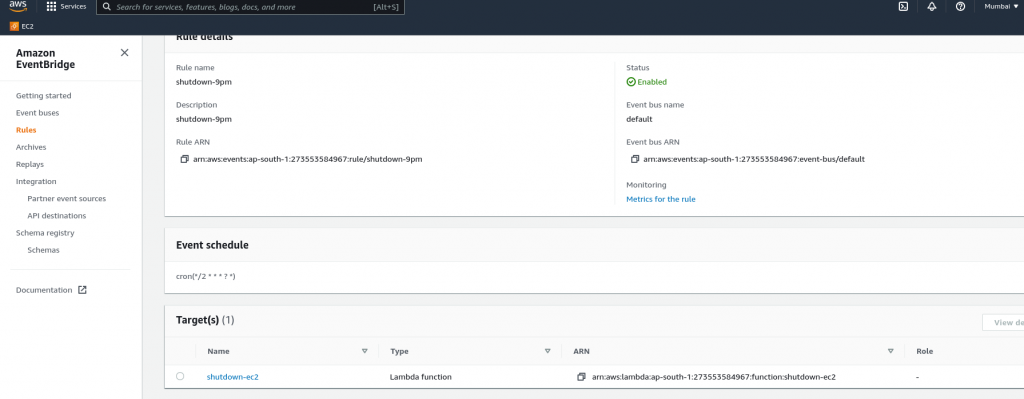
print('stopped your instances: ' + str(instances))- Create Cloudwatch event bus rule and attach it to lambda function