- list namespace
lsns- all ns for process id
ps -ef | grep nginx

lsns -p 400055- pause pod creates ipc and net namespace

lsnsps -ef | grep nginx
lsns -p 400055version: '3'
services:
postgres:
image: postgres:9.6
volumes:
- /opt/postgres/:/var/lib/postgresql/data
environment:
POSTGRES_DB: keycloak_db
POSTGRES_USER: keycloak_user
POSTGRES_PASSWORD: password
keycloak:
image: quay.io/keycloak/keycloak:latest
environment:
DB_VENDOR: POSTGRES
DB_ADDR: postgres
DB_DATABASE: keycloak_db
DB_USER: keycloak_user
DB_SCHEMA: public
DB_PASSWORD: password
KEYCLOAK_USER: admin
KEYCLOAK_PASSWORD: admin
ports:
- 8080:8080
depends_on:
- postgres
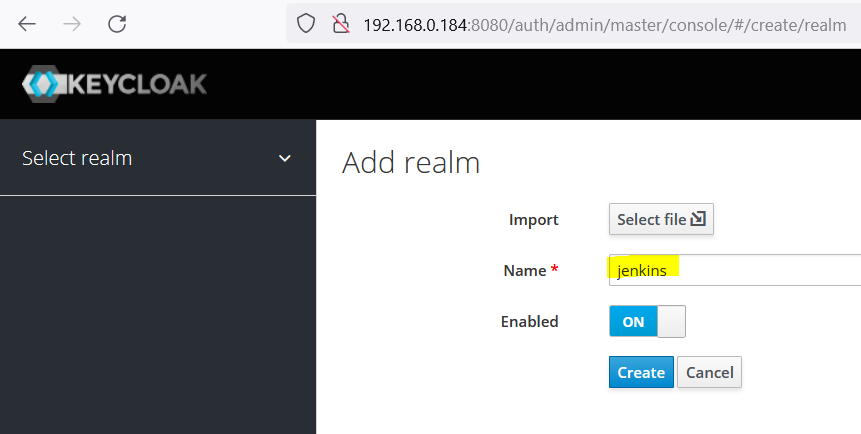
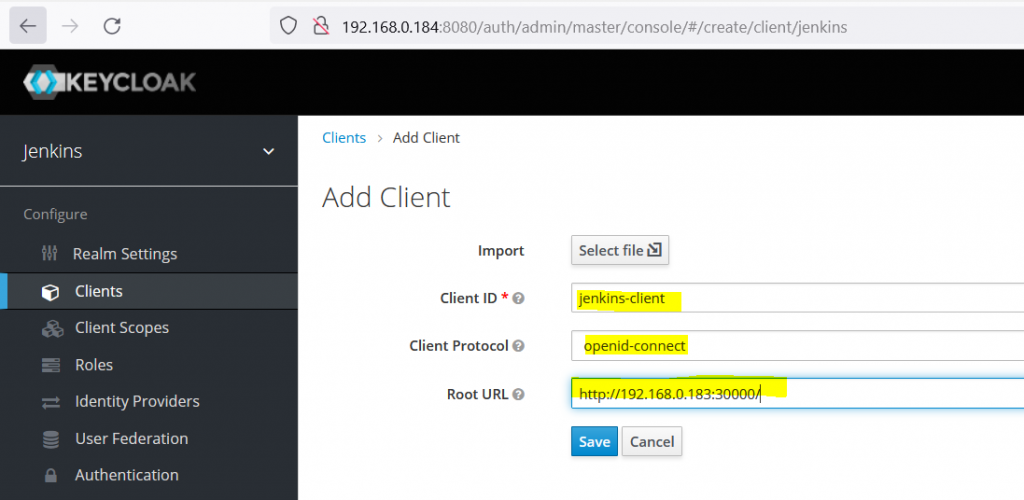
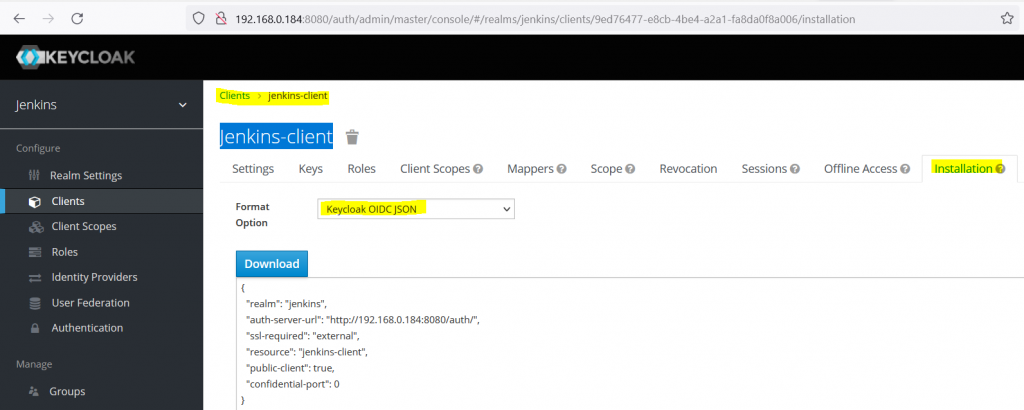
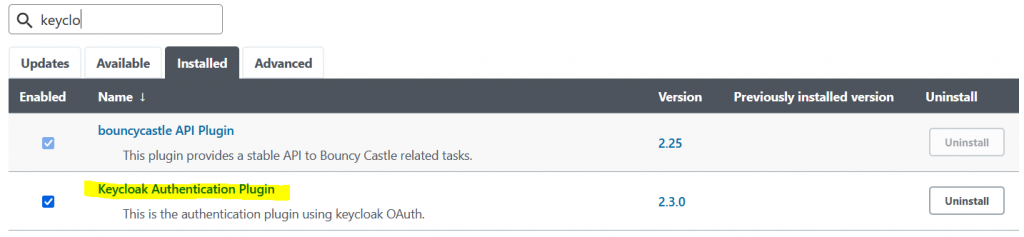
Note : Take the back up of /var/jenkins_home/config.xml or take a snapshot if it’s vm.
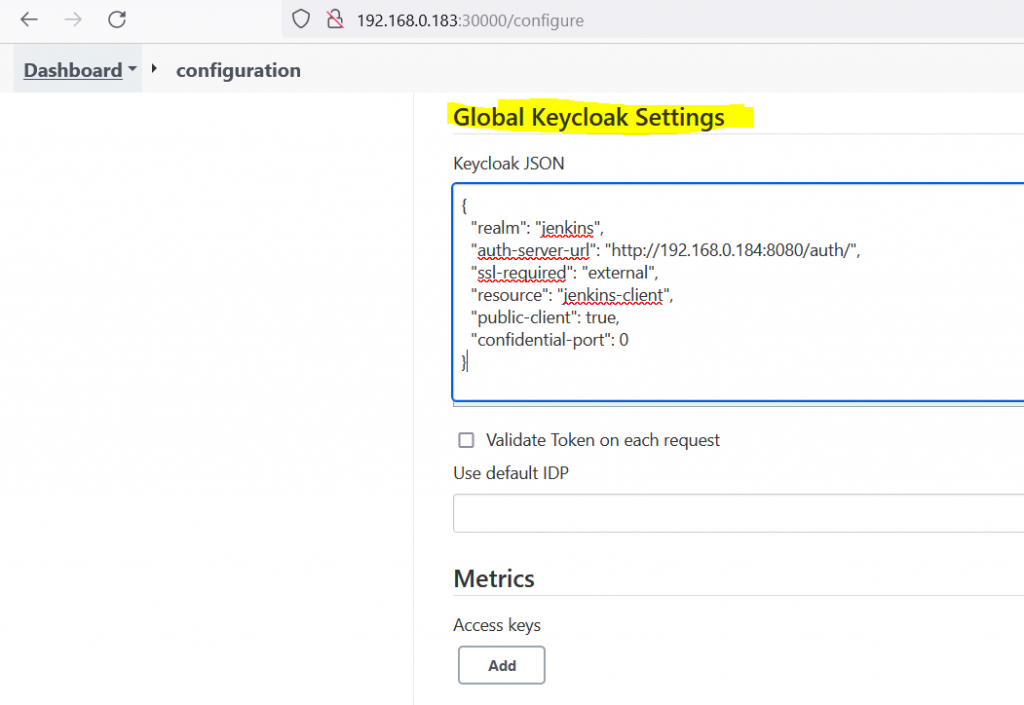
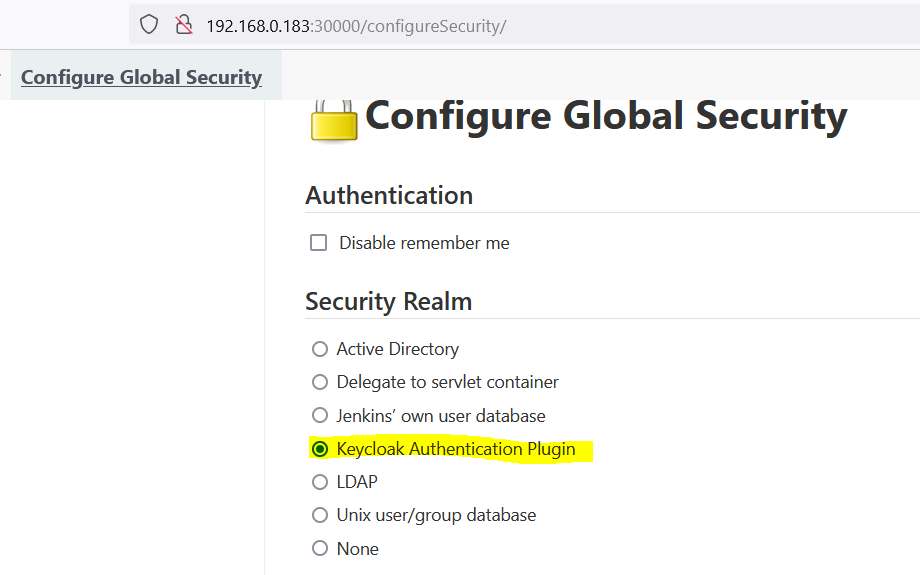
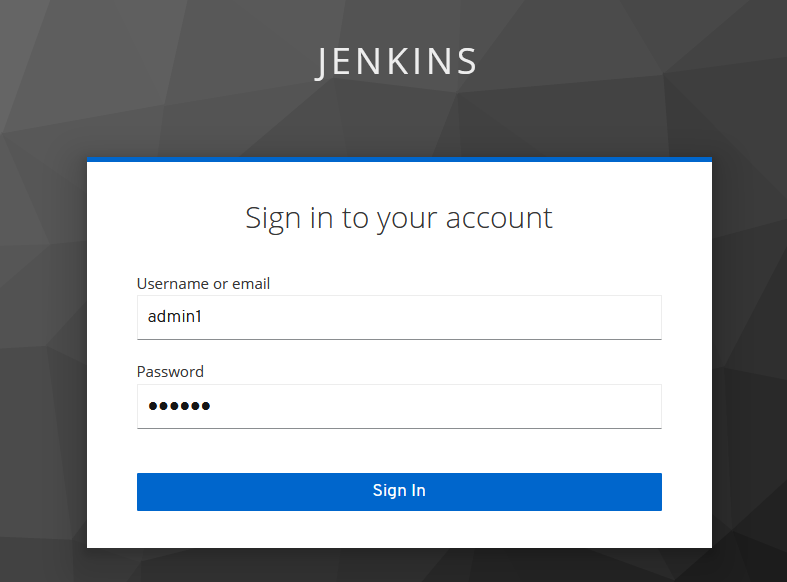
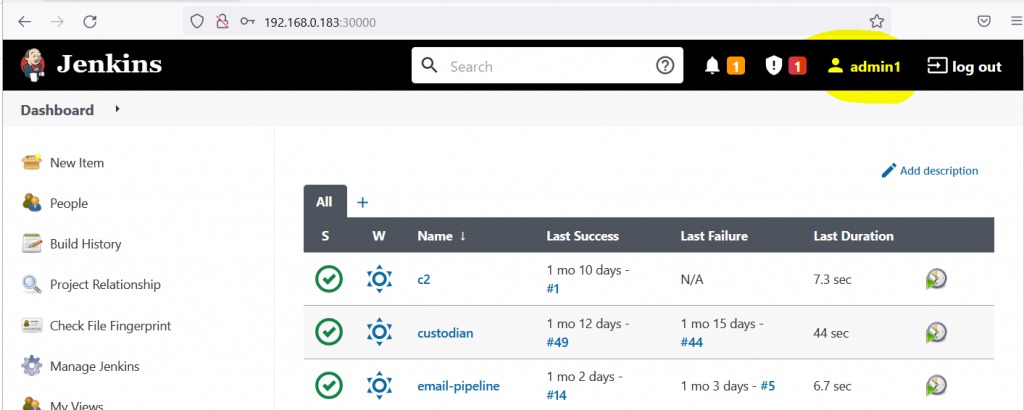
More – https://www.keycloak.org/getting-started/getting-started-docker
Why?
– When we need to add some extra functionally to daemonset based on which worker node it’s running on
apiVersion: apps/v1
kind: DaemonSet
metadata:
  labels:
    app: custom-daemonset
  name: custom-daemonset
spec:
  selector:
    matchLabels:
      app: custom-daemonset
  template:
    metadata:
      labels:
        app: custom-daemonset
    spec:
      containers:
      - command:
        - /bin/bash
        - -c
        - |
          echo "$STARTUP_SCRIPT" > /tmp/STARTUP_SCRIPT.sh
          /bin/bash /tmp/STARTUP_SCRIPT.sh
        env:
        - name: HOST_IP
          valueFrom:
            fieldRef:
              fieldPath: status.hostIP
        - name: STARTUP_SCRIPT
          value: |
            #!/bin/bash
            if [ $HOST_IP == "192.168.0.184" ]; then
              echo "HOST_IP is $HOST_IP"
            else
              echo "HOST_IP does not match $HOST_IP"
            fi
            sleep 600
        image: nginx
        imagePullPolicy: IfNotPresent
        name: custom-daemonset
Ref : https://github.com/kubernetes/kubernetes/issues/24657#issuecomment-577747926
ad_join.sh
#!/bin/bash

#check if already joined to domain

if [[ $(realm list) != "" ]]
then
echo "This server is already joined to domain."
realm list | head -n 1
exit
fi

function update_sssd_config() {
    sed -i 's/use_fully_qualified_names = True/use_fully_qualified_names = False/g' /etc/sssd/sssd.conf
    sed -i 's|/home/%u@%d|/home/%u|g' /etc/sssd/sssd.conf
    systemctl restart sssd
}

function restrict_ssh_access_group() {
    if [[ $(cat /etc/ssh/sshd_config | grep -o "updated_by_ad_join") != "updated_by_ad_join" ]]
    then
    echo "###############updated_by_ad_join.sh###############" >> /etc/ssh/sshd_config
    echo "AllowGroups root ssh-access-group" >> /etc/ssh/sshd_config
    systemctl restart sshd
    fi
}

function sudo_access_level_group() {
    if [[ $(cat /etc/sudoers | grep -o "updated_by_ad_join") != "updated_by_ad_join" ]]
    then
    echo "###############updated_by_ad_join.sh###############" >> /etc/sudoers
    echo "Cmnd_Alias SUDO_ACCESS_LEVEL1 = /usr/bin/ls, /usr/bin/cat " >> /etc/sudoers
    echo "Cmnd_Alias SUDO_ACCESS_LEVEL2 = /usr/bin/vi, /usr/bin/nano " >> /etc/sudoers

    echo "%sudo-group-level1 ALL=(ALL) NOPASSWD: SUDO_ACCESS_LEVEL1"  >> /etc/sudoers
    echo "%sudo-group-level2 ALL=(ALL) NOPASSWD: SUDO_ACCESS_LEVEL2"  >> /etc/sudoers
    echo "%sudo-group-full-access ALL=(ALL) NOPASSWD: ALL"  >> /etc/sudoers
    fi
}

#check os
if [[ $(cat /etc/os-release | egrep "centos|redhat|fedora|rhel|oracle|rocky") != "" ]]
then
yum install sssd realmd oddjob oddjob-mkhomedir adcli samba-common samba-common-tools krb5-workstation openldap-clients  -y
realm join -vvv --user=administrator ad.example.com

#call function
update_sssd_config

restrict_ssh_access_group

sudo_access_level_group

fi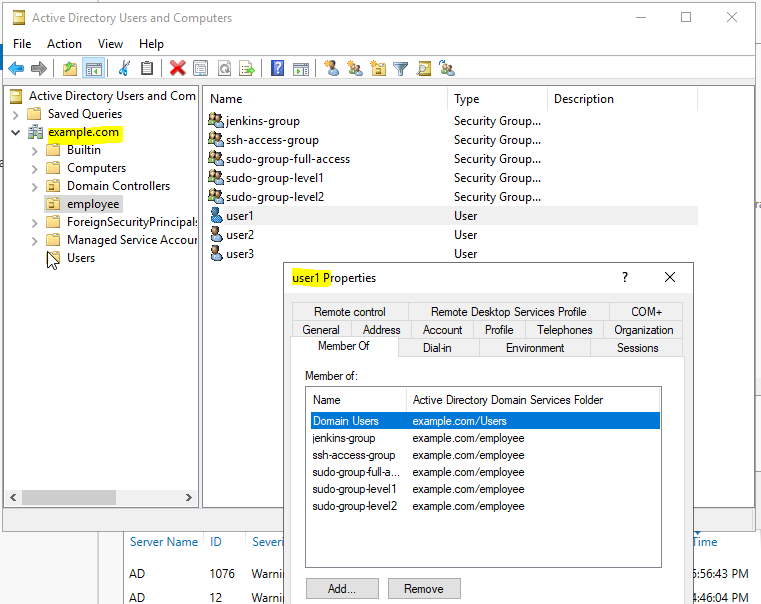

Method 1: (all user have same admin access)
Domain name : example.com
Domain Controller : ad.exmaple.com
Bind DN : jenkins-svc-account@example.com
Bind Password : <jenkins-svc-account password>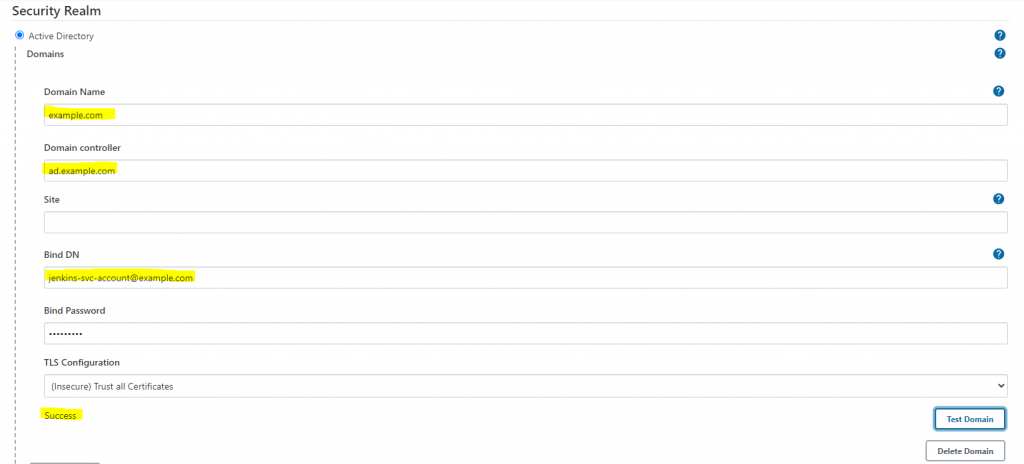
Else it will give Error: simple bind failed: ad.example.com:389 error
Also Domain Name(example.com) should be resolved from jenkins host or entry should be in /etc/hosts
192.168.122.6 example.com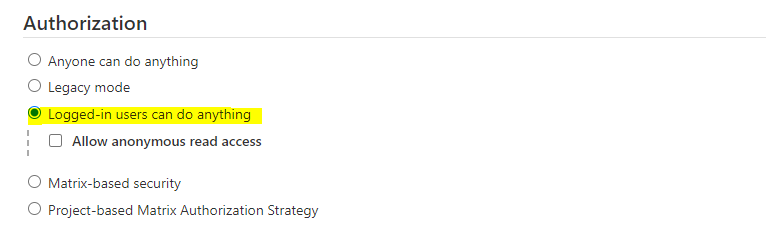
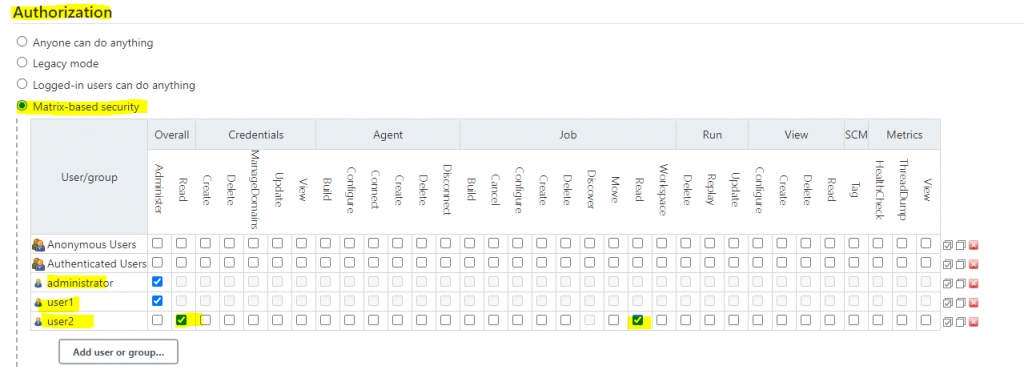
Method 2: Matrix-based security
Method3: Role based strategy(pending)
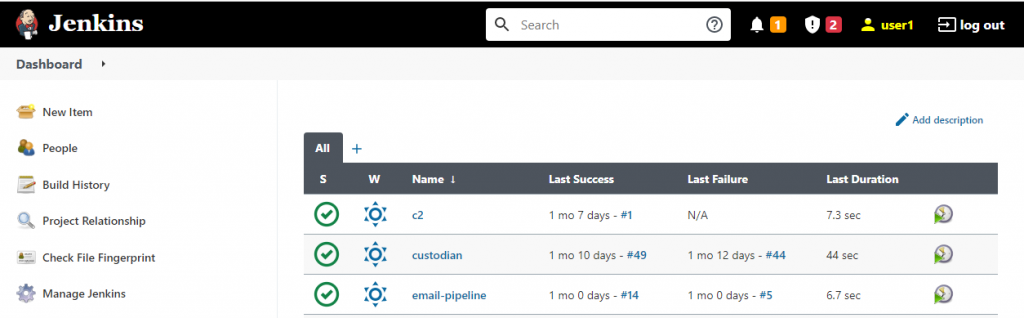
AD user and jenkins screenshot for reference
tnc example.com -port 389

Test-NetConnection -ComputerName example.com -Port 389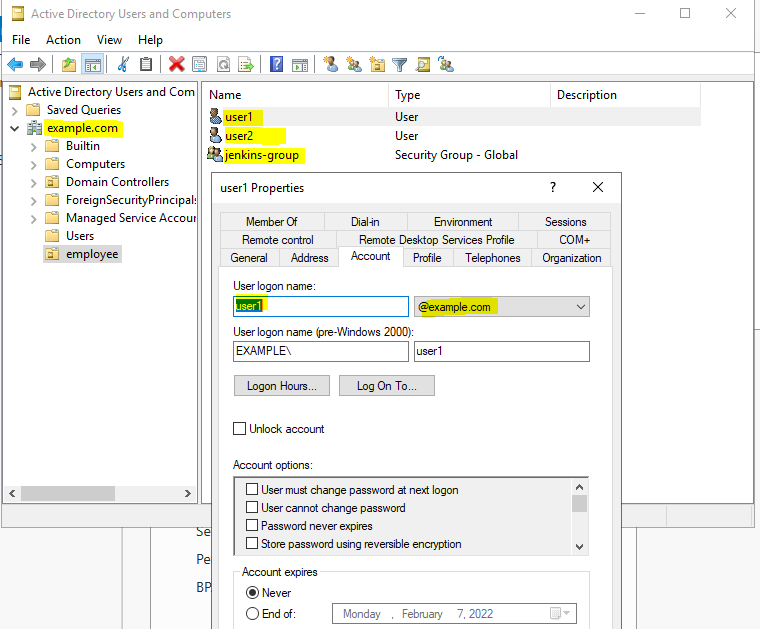
Why?
– Reduce surface attack
– Reduce docker image size
hola.sh
{-# LANGUAGE OverloadedStrings #-}
import Web.Scotty

import Data.Monoid (mconcat)

main = scotty 3000 $
    get "/:word" $ do
        beam <- param "word"
        html $ mconcat ["<h1>Scotty, ", beam, " me up!</h1>"]
alpine.Dockerfile
FROM haskell:8 AS build
WORKDIR /opt
RUN cabal update
RUN cabal install --lib scotty
COPY hola.hs .
#RUN ghc --make -threaded hola.hs  -o hola
RUN ghc --make -threaded -optl-static -optl-pthread hola.hs -o hola

FROM alpine:3.15.0
RUN addgroup -S group1 && adduser -S user1 -G group1
USER user1
WORKDIR /opt
COPY --from=build /opt/hola .
EXPOSE 3000
CMD ["/opt/hola"]
More on haskell static binary –
Useful when we need to add cron entry using shell script
cron.sh
crontab -l > /tmp/cron.bak
echo "* * * * * /opt/backup.sh" >> /tmp/cron.bak
crontab /tmp/cron.bak

Docker
Jenkins
Kubernetes
Terraform
Ansible
General questions
AWS questions
Linux questions
wsl -l
wsl --set-default Ubuntu
wsl --set-default-version 2wsl -l -v
wsl --set-version Ubuntu 2create /etc/wsl.conf
[automount]
options = "metadata"update /etc/kong/kong.conf
smtp_mock=off
smtp_host=email-smtp.eu-west-1.amazonaws.com
smtp_port=465
smtp_username=${KONG_SMTP_USER}
smtp_password=${KONG_SMTP_PASSWORD}
smtp_ssl=on
smtp_domain=example.com
smtp_admin_emails=team1@example.com
admin_emails_from =Team1 <team1@example.com>
portal_invite_email=Team1 <team1@example.com>
portal_access_request_email=Team1 <team1@example.com>
portal_approved_email=on
portal_emails_from=Team1 <team1@example.com>
portal_emails_reply_to=Team1 <team1@example.com>
Note : team1@example.com should verified in AWS and It’s should be below format
Team1 <team1@example.com>