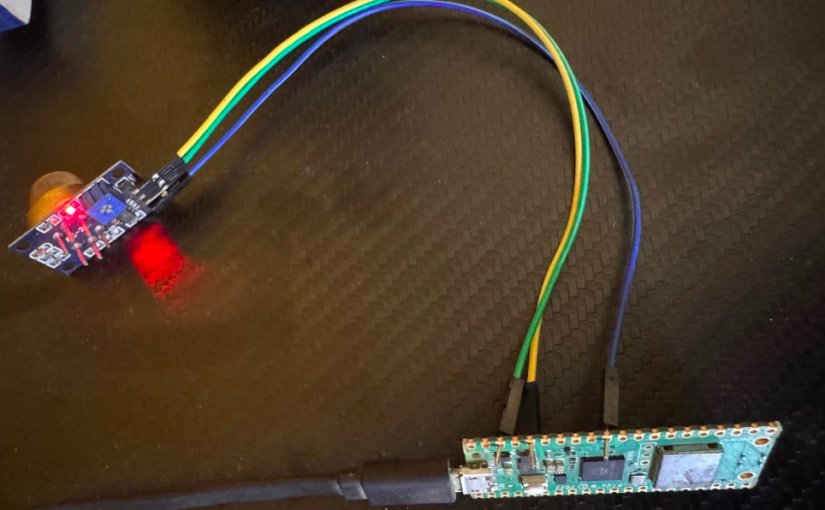
If you want to make portable Air quality sensor this is very easy setup. Make sure to include you mobile hostspot wifi ssid so that you can easily collect data from anywhere on the go.
Gas sensor normal takes 2-3 min to normalized it’s output vaules.
- Pins
VCC = 3v3(OUT) - GP36
GND = GND -GP38
Input = ADC0 - GP26- Code
import network
import urequests
import machine
import time
import ubinascii

#only needed if sending over public ip with https.
USERNAME_P = "basic-auth-username"
PASSWORD_P = 'basic-auth-pass'

# WiFi Credentials
SSID = 'WIFI-SSID'
PASSWORD = 'WIFI-PASSWORD'

# PushGateway Configuration
PUSHGATEWAY_URL = 'https://pushgateway.example.com/metrics/job/gas_sensor/instance/pico-1/sensor/mq135'

# ADC Setup for MQ-135 on GP26 (ADC0)
adc = machine.ADC(26)

def connect_wifi():
    wlan = network.WLAN(network.STA_IF)
    wlan.active(True)
    if not wlan.isconnected():
        print('Connecting to WiFi...')
        wlan.connect(SSID, PASSWORD)
        while not wlan.isconnected():
            time.sleep(0.5)
    print('Connected, IP:', wlan.ifconfig()[0])

def read_gas_sensor():
    raw_value = adc.read_u16()  # 0–65535
    voltage = raw_value * 3.3 / 65535  # Convert to voltage if needed
    return raw_value, voltage

def send_to_pushgateway(value):
    # Prometheus format (you can include labels if you want)
    payload = f"gas_sensor_value {value}\n"
    auth_string = "{}:{}".format(USERNAME_P, PASSWORD_P)
    auth_encoded = ubinascii.b2a_base64(auth_string.encode()).decode().strip()

    headers = {
        "Content-Type": "text/plain",
        "Authorization": "Basic " + auth_encoded
    }
    try:
        res = urequests.post(PUSHGATEWAY_URL, data=payload, headers=headers, timeout=5)
        print("Pushed to gateway:", res.status_code)
        res.close()
    except Exception as e:
        print("Push failed:", e)

def main():
    connect_wifi()
    while True:
        raw, voltage = read_gas_sensor()
        print(f"Gas Sensor Raw: {raw} | Voltage: {voltage:.3f}V")
        send_to_pushgateway(raw)
        time.sleep(1)  # Push every 10 seconds

main()
- timeout=5 is to fix the error code -110, [Errno 110] , ETIMEDOUT, [Errno 115] EINPROGRESS
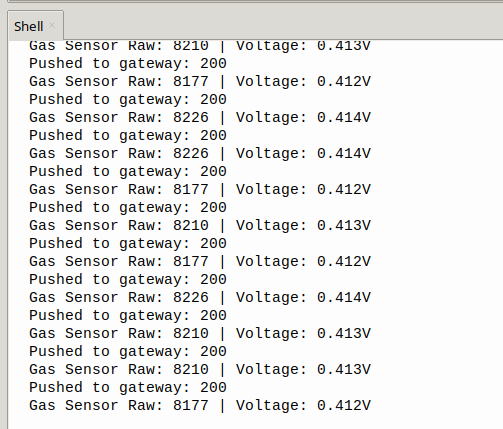
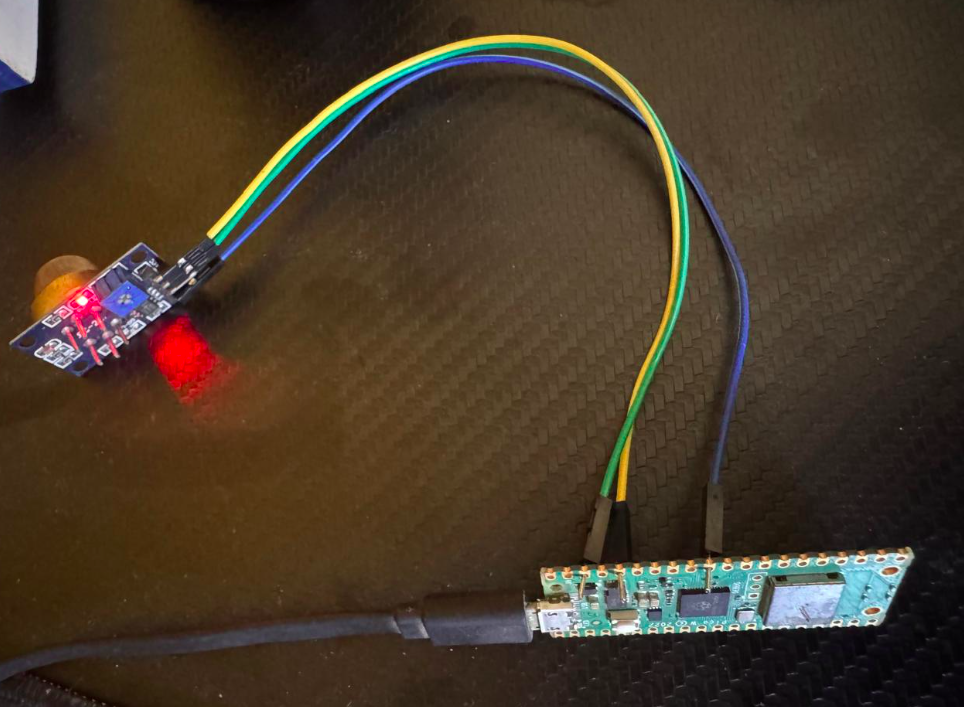
- Read data from pico over USB tty
#find device
dmesg | grep tty

$ read X < /dev/ttyACM0
hello
$ echo $X
Gas Sensor Raw: 2496 | Voltage: 0.126V- Read using screen command
screen /dev/ttyACM0

#with Baud rate

screen /dev/ttyACM0 9600